
WhatsApp Marketing in Kerala
Automate everyday conversations, and grow your business with faster responses, better customer support, and seamless communication—all from one powerful platform.
- Instant Customer Messaging
- Automation & Chatbots
- Send Notifications & Alerts
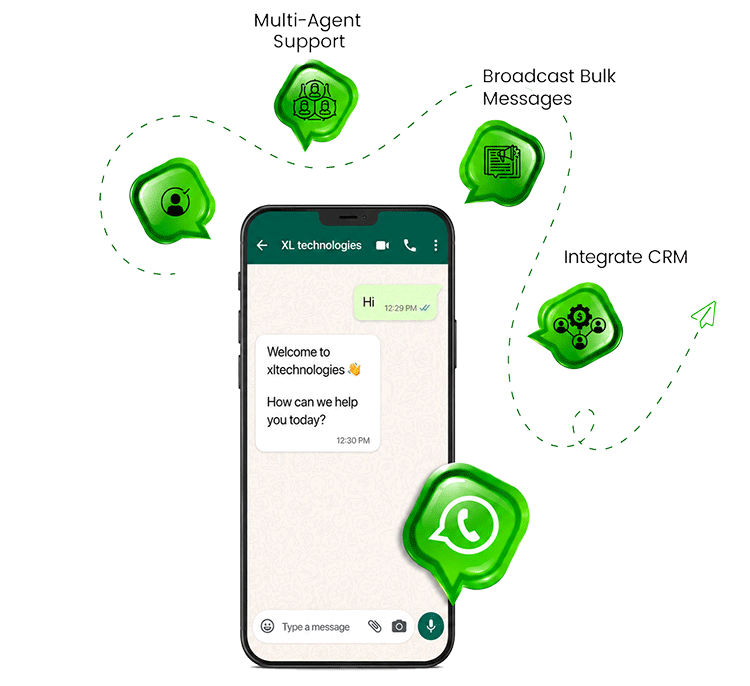
- CRM Integration
Why Use WhatsApp Business API for Your Business?
- Automate repetitive conversations instead of handling every message manually
- Allow multiple team members to manage chats collaboratively
- Send personalized business messages at scale
- Connect WhatsApp with your existing systems
- Improve response times and reduce manual effort
- Deliver better customer experiences
How XSend Helps Your Business
XSend is a WhatsApp Business API platform that helps businesses improve customer communication, manage conversations efficiently, and scale engagement from a single dashboard. Whether you’re a startup or an enterprise, XSend makes business messaging faster, smarter, and more organized.
With XSend, you can send bulk campaigns, automate replies with AI-powered chatbots, manage conversations through a shared team inbox, integrate WhatsApp with your CRM and business applications, and track performance with real-time analytics—all while delivering a seamless customer experience.
BACKED BY XL TECHNOLOGIES
of Experience
Projects Delivered
Active Customers
WhatsApp Business API Features for Business Automation
Official WhatsApp Business API
Connect your business with the official WhatsApp Business API and build scalable communication workflows for marketing, sales, support, and customer engagement.
Shared Team Inbox
Manage all customer conversations from one central inbox. Assign chats to different team members, collaborate with your team, use quick replies, and ensure that no customer conversation is missed.
AI-Powered WhatsApp Chatbots
Create intelligent WhatsApp chatbots to answer FAQs, capture leads, qualify customers, provide information, take orders, book appointments, and automatically handle repetitive customer conversations.
WhatsApp Flows
Create interactive forms and multi-step workflows directly inside WhatsApp. Customers can submit information, choose options, book appointments, complete surveys, and perform other actions without leaving the conversation.
WhatsApp Marketing Campaigns
Send personalised WhatsApp campaigns to your opted-in customers using approved message templates. Promote offers, share announcements, send reminders, and reconnect with existing customers.
Bulk WhatsApp Messaging
Reach a large number of customers with personalised business messages. Schedule campaigns, monitor delivery, and track campaign performance from a central dashboard.
Drip Campaigns and Automated Follow-Ups
Create automated message sequences to nurture leads and engage customers over time. Send welcome messages, follow-ups, reminders, promotional messages, and re-engagement campaigns based on your communication strategy.
WhatsApp Product Catalog
Showcase your products and services directly inside WhatsApp. Customers can browse your catalog, view product details, and continue their buying journey within the conversation.
Conversational Commerce
Turn WhatsApp conversations into buying experiences. Let customers browse products, interact with your chatbot, submit orders, and connect with payment and business workflows.
CRM and Business Integrations
Connect WhatsApp with your existing business tools and workflows. Integrate your customer conversations with CRM systems, e-commerce platforms, spreadsheets, payment systems, and other business applications.
Analytics and Reports
Track important messaging and campaign metrics, including message delivery, reads, engagement, and campaign performance. Use data to understand customer behaviour and improve your communication strategy.
Build WhatsApp Chatbots Without Complex Coding
Create powerful WhatsApp chatbots using either our visual drag-and-drop builder or VibeFlow AI. Automate customer enquiries, capture leads, book appointments, answer FAQs, and streamline business processes with chatbots tailored to your business.
- Visual Drag-and-Drop Chatbot Builder
- AI-Powered Chatbot Creation with VibeFlow AI
- Appointment Booking & Order Automation
- WhatsApp Flows for Interactive Forms
- Product Catalog & Payment Integration
- CRM & Third-Party Integrations
- 24/7 Automated Customer Support
Whatsapp business API for every industry in kerala
As a WhatsApp Business API provider in Kerala, XSend delivers industry-specific solutions to automate customer communication, marketing, and support.
Salons & Spas
Connect WhatsApp with your existing business tools and workflows. Integrate your customer conversations with CRM systems, e-commerce platforms, spreadsheets, payment systems, and other business applications.
- Display Services & Pricing on WhatsApp
- Online Appointment Booking
- Choose Preferred Stylist, Date & Time
- Automatic Appointment Reminders
- Loyalty Offers & Discount Campaigns
- Collect Customer Reviews & Feedback
- Promote Seasonal Packages & New Services
Real Estate
Help buyers discover the right property faster with the WhatsApp Business API. Answer property enquiries automatically, share property details, book site visits, and manage all customer enquiries in one place.
- Automatically Collect Buyer Requirements (Budget, Location & Property Type)
- Share Property Photos, Brochures
- Send Automatic Follow-Up Messages
- Save Customer Enquiries to Your CRM
- Promote New Property Launches & Special Offers
Improve patient communication and simplify healthcare services with the WhatsApp Business API. Automate appointments, reminders, and patient support while syncing enquiries with your CRM for better patient management and follow-ups.
- Doctor Appointment Booking
- Automated Appointment Reminders
- Patient Enquiry & CRM Integration
- Lab Reports & Test Result Notifications
- Prescription Refill Requests
- Health Tips & Emergency Broadcasts
Restaurants & Cafes
Enhance your restaurant’s customer experience with the WhatsApp Business API. Accept orders, send real-time updates, and engage customers through automated WhatsApp conversations.
- Digital Menu & Product Catalogue
- Online Food Ordering
- Automated Order Confirmation & Delivery Updates
- Customer Feedback & Review Collection
- Promotional Offers & Festival Campaigns
E-commerce
Deliver a seamless shopping experience on WhatsApp. Customers can browse products, add items to their cart, and complete payments through Razorpay without leaving WhatsApp. Orders and customer enquiries are automatically synced with Zoho CRM, helping you manage your entire sales process from one place.
- Share Products & Catalogues on WhatsApp
- Browse Products & Add to Cart
- Secure Payments with Razorpay
- Recover Abandoned Carts with Automatic Reminders
- Instant Order Confirmation & Shipping Updates
- Zoho CRM Integration for Leads & Order Management
- Shopify Store Integration
Tourism & Homestays
Make it easy for guests to book rooms and stay connected through WhatsApp. Share room details, answer enquiries, send booking confirmations, and provide quick support before and during their stay.
- Share Room Photos & Pricing
- Instant Booking Confirmation
- Check-in & Check-out Reminders
- Share Location & Travel Information
- Customer Support on WhatsApp
- Collect Guest Reviews
WhatsApp Business API Setup & Onboarding Process
01
Consultation & Requirement Analysis
Understand your business needs, use cases, and communication goals to recommend the right WhatsApp Business API solution.
02
Business Verification
Verify your Meta Business Account and complete the required business verification process to enable WhatsApp Business API.
03
WhatsApp Business Account (WABA) Setup
Create or connect your WhatsApp Business Account (WABA) and link it to your verified Meta Business Manager.
04
Phone Number Registration
Register your business phone number with the WhatsApp Business API and complete OTP verification. With WhatsApp Coexistence, you can continue using your existing WhatsApp Business app on your mobile while also managing conversations through the WhatsApp Business API platform.
05
Display Name Approval
Submit your business display name for Meta approval to ensure it meets WhatsApp’s branding guidelines.
06
Platform Configuration
Configure your WhatsApp Business API account, user access, message templates, and business settings.
07
Chatbot & Integration Setup
Set up AI chatbots, automation flows, CRM integrations, and other business tools based on your requirements.
08
Testing & Go Live
Test messaging, automation, and integrations before making your WhatsApp Business API account live for customer communication.
Automate Your Entire Customer Journey on WhatsApp
Customer Starts a Conversation
A customer contacts your business through WhatsApp.
Chatbot Responds Automatically
The chatbot welcomes the customer and provides relevant options.
Customer Selects an Action
The customer can ask a question, browse products, book an appointment, submit details, or request support.
Automation Handles the Request
The system can provide information, collect customer details, create a request, or trigger a business workflow.
Human Agent Takes Over When Needed
When a conversation requires personal assistance, the chat can be transferred to your team.
Follow-Up Happens Automatically
Send reminders, updates, notifications, and follow-up messages based on the customer journey.
Why business choose whatsapp
Connect with customers where they already are

2+ Billion active users worldwide

High message open rates

Instant & real time conversation

Used by customers every day

Faster than traditional email

Higher customer engagement & response rates
Seamless Integrations with Your Business Tools










WhatsApp Business API vs WhatsApp Business App: What Is the Difference?
The WhatsApp Business App is useful for small businesses that manage conversations manually. However, growing businesses often need more advanced automation and collaboration capabilities.
| Feature | WhatsApp Business App | WhatsApp Business API |
| Multiple team members | Limited | Yes |
| Shared team inbox | No | Yes |
| Chatbot automation | Limited | Yes |
| Automated workflows | Limited | Yes |
| Marketing campaigns | Limited | Yes |
| CRM integrations | No | Yes |
| Product catalog | Yes | Yes |
| Advanced analytics | No | Yes |
| Scalable business messaging | Limited | Yes |
Why Choose Xsend for WhatsApp Business API?
Business-Focused WhatsApp Automation
We help businesses automate sales, marketing, and customer support with the official WhatsApp Business API. Our WhatsApp marketing services in Kerala help you reach, engage, and convert more customers.
Free Setup & Onboarding
Get support with WhatsApp Business API setup, account configuration, and onboarding to start using the platform smoothly.
Technical Support
Our team can help you understand the WhatsApp Business API, plan your automation, create chatbot workflows, connect integrations, and build a solution that matches your business goals.
Complete WhatsApp Business Solution
From API setup and chatbot automation to campaigns, integrations, and business workflows, you can manage your WhatsApp communication from one platform.
WhatsApp Business API Pricing
₹1,499
Month
- WhatsApp Business Account (WABA) Setup
- SmartChat Inbox for Managing Customer Conversations
- AI Chatbot Builder for Automated Workflows
- Drag-and-Drop Chatbot Flow Builder
- 40 Pre-Approved WhatsApp Message Templates
- Bulk WhatsApp Campaign Management
- Real-Time Analytics and Performance Reports
- Shopify & Zoho CRM Integrations
- WhatsApp Product Catalogue Management
- Customer Contact & Group Management
- REST API Access for Custom Integrations
- Pay-Per-Use WhatsApp Messaging
Note: AI Chatbot fee and Meta conversation charges apply. Contact us for pricing details.
Types of WhatsApp Business Messages
Service Messages
Authentication Messages
Marketing Messages
Utility Messages
Choose the Right Way to Upgrade to WhatsApp Business API
Full Migration
- Use your existing business number.
- Existing chats are not transferred to the API.
- WhatsApp groups are not migrated.
- Export important chats before migrating.
WhatsApp Coexistence
Keep using your existing WhatsApp Business app while accessing the WhatsApp Business API with the same number.
- Keep your existing business number.
- Continue using the WhatsApp Business app on your mobile.
- Manage chats through both the app and API.
- Existing chats stay in your mobile app.
- Access chatbots, automation, shared inbox, broadcasts, and CRM integration.
What our customers says
Highly professional team, dedicated staff, awesome work, perfect.

– Roopesh Kunnoth
Good Company .XL provide good service
good response & Service
Ready to Transform Your Customer Communication?
Start sending WhatsApp marketing messages today with Kerala’s trusted WhatsApp Business API provider.
Get Your WhatsApp Business API Set Up in Kerala
FAQ
Can multiple employees manage WhatsApp messages?
Yes. A shared team inbox allows multiple agents or employees to manage customer conversations from one central platform.
What can I use WhatsApp Business API for?
Businesses can use the WhatsApp Business API for customer support, lead generation, marketing campaigns, appointment bookings, order updates, product enquiries, customer notifications, payment workflows, and business automation.
How is WhatsApp Business API different from email marketing?
WhatsApp Business API generally delivers higher open rates and click-through rates than email marketing, making it more effective for customer engagement. It also supports real-time conversations, automation, and instant customer support.
Can I use WhatsApp for appointment booking?
Yes. WhatsApp automation can help customers select services, choose available dates and times, submit their information, and receive appointment confirmations and reminders.
Can I sell products through WhatsApp?
Yes. Businesses can use WhatsApp catalogs and conversational commerce workflows to showcase products, help customers browse items, collect orders, and connect the buying journey with business and payment systems.