Google Drive vs Traditional File Storage: Which Is Better for Businesses?
By Divya – Support Engineer and Google Cloud Certified Digital Leader with 2+ years of experience in Google Workspace administration at XL Technologies. Her expertise includes user account creation, permission management, email configuration, security, and ticket handling. With proven skills, she ensures smooth, secure, and efficient Workspace operations for clients. At XL Technologies, Divya plays a key role in driving digital transformation through Google Cloud solutions. She is passionate about helping businesses maximize productivity and collaboration with Google Workspace.
- Why Businesses Are Moving Beyond Traditional File Storage
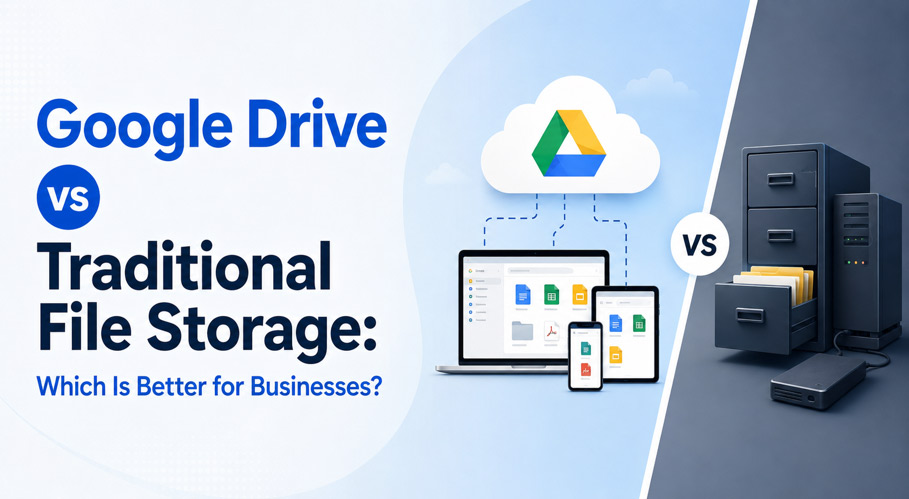
- Google Drive vs Traditional File Storage: Key Differences
- Store, Access, and Collaborate on Business Files from Anywhere
- Choose the Right Google Drive Storage Plan for Your Business
- Every Google Drive Plan Also Includes
- Is Google Drive Secure for Business File Storage?
- Signs Your Business Should Switch to Google Drive
- Simplify Business File Storage with Google Workspace
- Conclusion
Managing business files efficiently has become increasingly important as teams rely on faster access, secure storage, and better collaboration. While traditional file storage systems are still used by many organizations, cloud-based solutions like Google Drive offer a more flexible and scalable way to store, share, and manage business data.
This blog compares Google Drive with traditional file storage, explains the key differences between the two, explores Google Drive’s collaboration features, storage plans, and security capabilities, highlights the signs that indicate it’s time to switch, and shows how Google Workspace can simplify business file storage through cloud-based management.
Why Businesses Are Moving Beyond Traditional File Storage
Traditional file storage systems such as external drives, local servers, and office-based storage create operational challenges for growing businesses. As files and teams expand, these systems become harder to manage, making it difficult to support flexible work environments and efficient collaboration.
Key limitations:
- Limited access (only within office or network)
- No real-time collaboration
- Risk of hardware failure and data loss
- Manual and inconsistent backup systems
- Fixed storage capacity
- High IT maintenance requirements
These limitations can slow daily operations, increase maintenance costs, and make it harder for teams to work efficiently. As a result, many businesses are adopting cloud-based storage solutions that offer greater flexibility, accessibility, and scalability.
Google Drive vs Traditional File Storage: Key Differences
Feature | Google Drive | Traditional Storage |
Access | Anywhere, any device | Office/local system only |
Collaboration | Real-time editing | Manual sharing |
Storage | Scalable cloud storage | Fixed hardware limits |
Backup | Automatic cloud backup | Manual backups |
Security | Encryption + access control | Depends on local setup |
Maintenance | No hardware needed | Requires IT support |
Version history | Built-in recovery | Limited or none |
Scalability | Upgrade storage instantly | Requires additional hardware |
File synchronization | Syncs automatically across devices | Manual file synchronization |
Cost | Subscription-based | High upfront cost |
Store, Access, and Collaborate on Business Files from Anywhere
Google Drive enables teams to work efficiently without location barriers. Employees can securely access business files, make updates, and collaborate in real time from anywhere, helping projects move forward without delays.
Key benefits:
- Access files from any device (mobile, laptop, tablet)
- Real-time collaboration on Docs, Sheets, and Slides
- Easy file sharing with controlled permissions
- Offline access for working without internet
- Centralized storage for all business files
- Faster teamwork and communication
Instead of storing files across multiple devices or office servers, Google Drive keeps everything organized in one place. Teams always work on the latest version of a file, making collaboration simpler and reducing time spent searching for or sharing documents.
Choose the Right Google Drive Storage Plan for Your Business
30 GB / user
AED 28 / user/month
- Store documents
- File sharing
- Team collaboration
- Ideal for startups
2 TB / user
AED 54 / user / month
- Large file storage
- Shared Drives
- Faster collaboration
- Growing businesses
5 TB +/ user
Custom Pricing
- Massive cloud storage
- Advanced sharing
- Long-term file retention
- Medium & large teams
Every Google Drive Plan Also Includes
- Shared storage across Gmail, Google Drive, and Google Photos
- Upgrade storage anytime as your business grows
- No on-premise storage hardware required
- Real-time collaboration with Google Docs, Sheets, and Slides
- Mobile document scanning directly to Google Drive
- Secure cloud storage with automatic synchronization across devices
Is Google Drive Secure for Business File Storage?
Google Drive provides enterprise-grade, cloud-native security designed to protect business data, ensure compliance, and reduce risks.
Secure cloud infrastructure
- Trusted and compliant cloud environment
- Seamless integration with Google Workspace apps
- Continuously updated systems to reduce vulnerabilities
- Built for enterprise reliability and uptime
Zero-trust security controls (Premium features)
- Ransomware detection for file protection
- Client-side encryption for sensitive data
- Google Vault for retention and eDiscovery
- Advanced access and permission controls
AI-powered protection
- Automatic detection of sensitive content
- Smart data classification and labeling
- Data Loss Prevention (DLP) policies
- Reduced risk of accidental data leaks
Signs Your Business Should Switch to Google Drive
As your business grows, managing files on local storage or traditional servers can become increasingly difficult. If file access, collaboration, or storage limitations are slowing down daily operations, it may be time to move to a cloud-based solution like Google Drive.
If your business is facing any of the following issues, upgrading is necessary:
- Frequent “storage full” alerts
- Difficulty managing or sharing files
- Poor collaboration between teams
- Increasing remote/hybrid workforce
- Rising IT maintenance costs
- Risk of losing data due to hardware failure
These challenges often lead to reduced productivity and unnecessary operational costs. Moving to Google Drive helps businesses simplify file management while providing secure, scalable storage that supports future growth.
Simplify Business File Storage with Google Workspace
Migrating to Google Workspace allows businesses to centralize files in Google Drive, making them easier to access, manage, and share. Teams can continue working with minimal disruption while benefiting from a scalable cloud storage system that grows with business needs.
Migration benefits:
- Smooth transfer of files, emails, and folders
- Minimal or zero downtime during setup
- Centralized cloud-based storage system
- Scalable storage as business grows
- Improved collaboration across teams
- Reduced IT dependency and cost
Professional migration support can help ensure files are transferred securely and organized correctly, reducing the risk of data loss during the move.
Conclusion
Traditional file storage systems can limit business productivity as teams grow and collaboration becomes more important. Google Drive provides a secure, scalable, and cloud-based solution that enables businesses to store, access, and collaborate on files from anywhere while reducing IT complexity and supporting long-term growth.
At XL Technologies, we help businesses set up and migrate to Google Workspace with minimal disruption. From choosing the right plan and securely migrating your files to configuring Google Drive and providing ongoing support, our team ensures a smooth transition so your business can take full advantage of cloud-based collaboration and storage.
Frequently Asked Questions
What is Google Drive for Business?
Google Drive for Business is a cloud storage solution in Google Workspace that lets teams securely store, share, and collaborate on files from anywhere.
Can Google Drive replace a file server?
Yes. Google Drive provides cloud-based file storage, sharing, automatic backups, and real-time collaboration, making it a reliable alternative to traditional file servers.
Is Google Drive safe for confidential business documents?
Yes. Google Drive uses encryption, access controls, and advanced security features to help protect sensitive business data.
How does Google Drive differ from traditional storage?
Unlike traditional storage, Google Drive offers cloud access, real-time collaboration, automatic backups, and scalable storage without physical hardware.
Can I migrate my existing business files to Google Drive?
Yes. Files, folders, emails, and other business data can be migrated to Google Drive with minimal downtime.
Which Google Workspace plan is best for my business?
Business Starter is ideal for small teams, Business Standard suits growing businesses, and Business Plus is best for organizations needing more storage and advanced security.