
Why Your Company Needs Advanced Email Security Instead of Basic Webmail
By Divya – Support Engineer and Google Cloud Certified Digital Leader with 2+ years of experience in Google Workspace administration at XL Technologies. Her expertise includes user account creation, permission management, email configuration, security, and ticket handling. With proven skills, she ensures smooth, secure, and efficient Workspace operations for clients. At XL Technologies, Divya plays a key role in driving digital transformation through Google Cloud solutions. She is passionate about helping businesses maximize productivity and collaboration with Google Workspace.
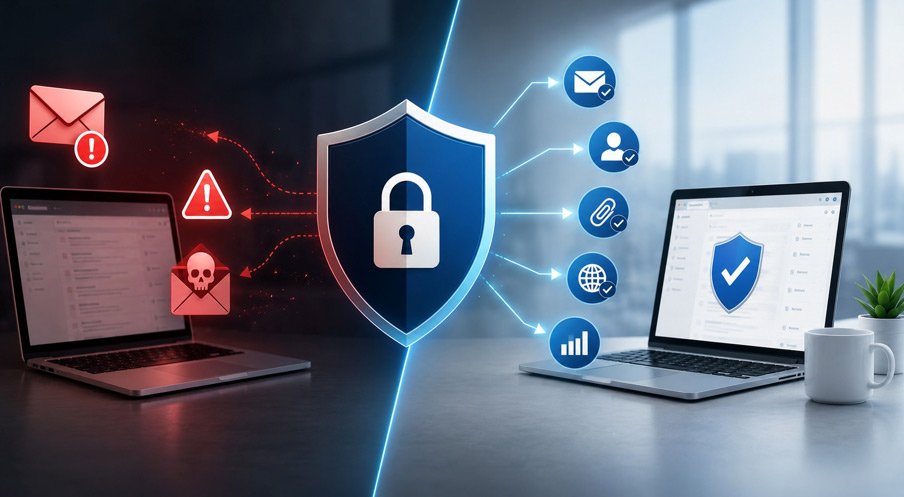
- Basic Webmail: Convenient, but Limited for Business Use
- The Real Risks Businesses Face with Basic Email Systems
- What Advanced Email Security Includes
- How Advanced Email Security Helps Businesses in Practice
- Why SPF, DKIM, and DMARC Are Not Enough
- Beyond Security: Performance and Deliverability Benefits
- Feature Comparison: Basic Webmail vs Advanced Email Security
- Why Business Email Platforms Benefit from Advanced Email Security
- Get Started with Google Workspace
- Conclusion
Many businesses still rely on basic webmail for everyday communication, assuming built-in spam filters are enough to keep their email secure. However, modern cyber threats such as phishing, business email compromise (BEC), malware, and email impersonation have become far more sophisticated, making advanced email security essential for protecting sensitive business data and communications. For businesses using Google Workspace, understanding how advanced email security strengthens your email environment is key to reducing these risks.
This blog explains the limitations of basic webmail, the email threats businesses face today, and how advanced email security strengthens business communication. It also explores why SPF, DKIM, and DMARC alone are not enough, the impact on email deliverability, and how Google Workspace provides a secure foundation for professional business email.
Basic Webmail: Convenient, but Limited for Business Use
Basic webmail services (like standard Gmail or free email accounts) are designed for personal communication. They offer simplicity, but not deep protection or business-level control.
They typically include:
- Standard spam filtering
- Basic login security (password + optional 2FA)
- Limited admin control
- Minimal monitoring of outgoing threats
- No deep email flow inspection
This creates gaps when businesses start handling sensitive data, financial communication, or large-scale client interactions.
The Real Risks Businesses Face with Basic Email Systems
Modern email threats are no longer obvious spam messages. They are carefully crafted attacks designed to look legitimate.
Common risks include:
- Phishing attacks that mimic banks, clients, or internal departments
- Business email compromise (BEC) where attackers impersonate executives
- Domain spoofing where fake emails appear to come from your company
- Malware attachments hidden in invoices, resumes, or documents
- Data leakage through unsecured email forwarding or weak access control
Even if SPF, DKIM, and DMARC are configured, basic webmail systems still rely heavily on external filtering decisions and user caution.
What Advanced Email Security Includes
- Threat detection engines (AI + behavior analysis): Identifies suspicious patterns instead of relying only on known spam signatures
- Phishing protection: Detects fake emails that imitate trusted sources like banks, vendors, or internal teams
- Attachment sandboxing: Opens and tests attachments in a safe environment before they reach users
- URL scanning & click-time protection: Checks links when emails are opened and again when clicked
- Email impersonation detection: Stops attackers from spoofing your company domain or executives
- Outbound email monitoring: Prevents sensitive data from being accidentally or maliciously sent outside
- Policy-based controls: Allows businesses to set rules for departments, users, and data access levels
- Real-time threat response: Blocks or isolates dangerous emails instantly instead of waiting for user reporting
How Advanced Email Security Helps Businesses in Practice
Advanced email security supports day-to-day business communication by identifying potential threats before they reach employees. Instead of relying solely on users to recognize suspicious emails, it continuously analyzes incoming and outgoing messages, helping businesses reduce security risks while maintaining smooth communication.
In everyday business operations, it helps by:
- Protecting financial transactions by identifying fraudulent payment requests, fake invoices, and business email compromise (BEC) attempts before they reach the intended recipient.
- Securing customer and business data by monitoring email traffic and helping prevent sensitive information from being shared with unauthorized recipients.
- Reducing the risk of employee mistakes by detecting suspicious links, attachments, and sender impersonation before users interact with an email.
- Supporting secure communication by verifying the authenticity of emails exchanged with customers, suppliers, and business partners.
- Providing better administrative control through centralized security policies, allowing businesses to apply consistent protection across all employee email accounts.
- Improving business continuity by reducing email-related security incidents that can interrupt daily operations or delay important business communications.
Rather than depending on a single security check, advanced email security evaluates multiple factors before an email reaches the inbox. It verifies the sender’s identity, analyzes the content for suspicious behaviour, checks links and attachments for potential threats, and applies security policies based on your organization’s requirements. This layered approach helps businesses communicate more securely while reducing the risk of email-based attacks.
Why SPF, DKIM, and DMARC Are Not Enough
Many businesses assume that setting up SPF, DKIM, and DMARC is sufficient. While these are important, they only confirm identity—not trust or safety.
Security Layer | What It Does | What It Does NOT Do |
SPF | Validates if the email is sent from an authorized server | Does not stop phishing or malicious email content |
DKIM | Ensures email content is not modified in transit | Does not verify sender identity beyond cryptographic signature |
DMARC | Aligns SPF and DKIM and enforces policy (quarantine/reject) | Does not analyze email content or detect social engineering |
Basic Webmail Filter | Blocks known spam using rules and reputation lists | Cannot reliably detect advanced phishing or business email compromise |
Advanced Email Security | Uses AI, behavior analysis, and threat intelligence to detect attacks | Cannot guarantee 100% protection but significantly reduces advanced threats |
Beyond Security: Performance and Deliverability Benefits
Advanced email security doesn’t just protect your organization from cyber threats—it also helps maintain reliable and efficient business communication. By improving email quality and ensuring secure sending practices, businesses can achieve better inbox placement and a more consistent email experience for both employees and customers.
It helps with:
- Better sender reputation management
- Reduced chances of emails landing in spam
- Cleaner outbound communication flow
- Lower bounce rates
- Improved trust with email providers
- More consistent delivery of transactional and customer service emails
- Fewer disruptions caused by compromised email accounts or blacklisted domains
- Better visibility into email performance through detailed reporting and analytics
- Easier compliance with business email policies and industry standards
- Increased productivity by reducing time spent managing spam, quarantined emails, and delivery issues
These improvements help businesses communicate more effectively with customers, partners, and employees while supporting sales, marketing, and day-to-day operations through more reliable email delivery.
Feature Comparison: Basic Webmail vs Advanced Email Security
Feature | Basic Webmail | Advanced Email Security |
Spam filtering | Basic | AI-based and adaptive |
Phishing protection | Limited | Advanced detection + URL scanning |
Admin control | Minimal | Full policy-based control |
Threat response | Reactive | Proactive + real-time blocking |
Data loss prevention | Not available | Built-in controls |
Email impersonation detection | Weak | Strong domain protection |
Reporting & visibility | Limited | Detailed dashboards & logs |
Why Business Email Platforms Benefit from Advanced Email Security
Business email platforms are designed for professional communication and include features such as custom email addresses, user management, and built-in security. However, as email threats become more sophisticated, many businesses strengthen these platforms with advanced email security for better protection and control.
Advanced email security helps businesses by:
- Monitoring incoming and outgoing email activity
- Detecting phishing, malware, and email impersonation faster
- Applying centralized security policies across all users
- Protecting confidential business information
- Providing detailed security reports and audit logs
- Scaling security as your business grows
For businesses using Google Workspace, built-in features such as spam and phishing protection, email authentication, secure access controls, and centralized administration provide a strong security foundation.
Depending on your organization’s security needs and Google Workspace edition, additional security features and policies can further strengthen protection, improve visibility, and enhance administrative control.Together, they help create a more secure, reliable, and business-ready email environment.
Get Started with Google Workspace
Looking to upgrade from basic webmail to a secure business email solution? XL Technologies helps businesses in Dubai set up and configure Google Workspace with professional email, secure migration, and the right security settings for your organization.
Ready to get started?
Conclusion
As email threats continue to evolve, relying on basic webmail and standard spam filtering is no longer enough for business communication. Advanced email security adds multiple layers of protection that help defend against phishing, malware, email impersonation, and business email compromise while improving administrative control and email reliability.
For businesses using Google Workspace, built-in security features provide a strong foundation for secure email, and additional security capabilities can further strengthen protection based on your organization’s needs. Investing in the right email security helps safeguard business data, maintain customer trust, and support secure communication as your business grows.
Frequently Asked Questions
1. What is the difference between basic webmail and advanced email security?
Basic webmail provides email hosting with standard spam filtering and account protection. Advanced email security adds extra layers such as phishing detection, malware scanning, email impersonation protection, and real-time threat analysis.
2. If I use Google Workspace, do I still need advanced email security?
Google Workspace includes strong built-in security features like spam filtering, phishing protection, secure authentication, and admin controls. Businesses with higher security, compliance, or monitoring requirements may benefit from additional advanced email security solutions.
3. Can advanced email security stop phishing attacks?
It significantly reduces the risk by analyzing sender behavior, scanning links and attachments, and detecting impersonation attempts before emails reach users. However, no solution can guarantee 100% protection.
4. Why are SPF, DKIM, and DMARC alone not enough?
SPF, DKIM, and DMARC verify that an email is authentic and authorized to use your domain. They do not inspect email content, detect malicious links or attachments, or prevent social engineering attacks like business email compromise (BEC).