
WhatsApp Coexistence: Use WhatsApp Business App and API Together
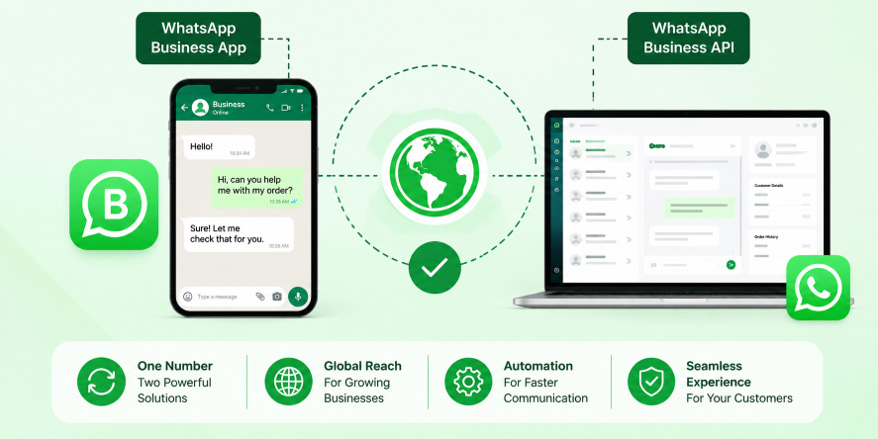
WhatsApp Coexistence allows businesses to use their existing WhatsApp Business App and WhatsApp Business Platform/API together on the same number. It combines familiar manual communication with automation, campaigns, chatbots, team inboxes, and CRM integrations, helping businesses scale customer communication without completely changing their existing WhatsApp workflow.
In this blog, we’ll cover what WhatsApp Coexistence is and how it works, compare the WhatsApp Business App and WhatsApp Business API, and explore its key benefits and suitable business types. We’ll also look at its use across different industries, explain how to set it up, what happens to existing WhatsApp chats, and the difference between full API migration and Coexistence.
What Is WhatsApp Coexistence?
WhatsApp Coexistence is a setup that allows a business to use its existing WhatsApp Business App and the WhatsApp Business Platform/API on the same phone number.
This means you can continue using the WhatsApp Business App for day-to-day conversations while connecting the same number to an API-powered platform for automation, customer communication, campaigns, integrations, and other business features.
For example, imagine you run a salon.
Your receptionist can continue answering customers manually through the WhatsApp Business App. At the same time, your WhatsApp API platform can automatically send:
- Appointment confirmations
- Appointment reminders
- Promotional campaigns
- Follow-up messages
- Customer feedback requests
The customer continues to communicate with the same business number.
That is the basic idea behind WhatsApp Coexistence.
Current documentation from WhatsApp solution providers describes Coexistence as the ability to onboard an existing WhatsApp Business App number to the WhatsApp Business Platform while retaining access to the app.
How Does WhatsApp Coexistence Work?
Think of Coexistence as having two ways of working with the same WhatsApp business number.
1. WhatsApp Business App
The business can continue using the WhatsApp Business App for manual conversations.
For example, an employee can open the app and personally answer:
“Yes, your appointment is confirmed for tomorrow at 4 PM.”
2. WhatsApp Business API
The API connects the same business number to a WhatsApp Business Platform or API-enabled software.
This can be used for things such as:
- Automated notifications
- Approved message templates
- Customer follow-ups
- Chatbots
- Campaigns
- CRM integrations
- Team inboxes
- Automated workflows
3. Customers Continue Using the Same Number
From the customer’s point of view, there is no need to learn a new number.They simply continue messaging the business on the WhatsApp number they already know.
So, instead of replacing the WhatsApp Business App with the API, Coexistence allows businesses to combine the two.
WhatsApp Business App vs WhatsApp Business API: What’s the Difference?
Feature | WhatsApp Business App | WhatsApp Business API |
Best for | Small businesses | Growing businesses |
Customer communication | Manual | Manual + automated through connected platforms |
Automation | Limited | Advanced |
Chatbots | Limited | Yes |
CRM integration | Limited | Yes |
Team management | Basic | Advanced |
Bulk/campaign messaging | Limited | Yes, with approved templates |
Scalability | Suitable for smaller volumes | Designed for larger-scale communication |
Key Benefits of WhatsApp Coexistence for Businesses
1. Continue Using Your Existing WhatsApp Business App
One of the biggest advantages is that businesses can continue using the WhatsApp Business App instead of completely abandoning the familiar app-based workflow.
This is especially useful for small businesses where the owner or a small team personally handles customer conversations.
You don’t have to immediately change the way your employees communicate with customers.
2. Use Your Existing Business Number
Changing a business WhatsApp number can be inconvenient.
Customers may already have the number saved. It may appear on your website, Google Business Profile, social media pages, brochures, invoices, advertisements, and other marketing materials.
Coexistence allows eligible businesses to connect their existing WhatsApp Business App number to the WhatsApp Business Platform.That means your customers can continue contacting the same business number.
3. Automate Repetitive Customer Messages
Businesses often spend a lot of time sending the same messages repeatedly.
For example:
- “Your appointment is tomorrow.”
- “Your payment has been received.”
- “Your delivery is on the way.”
- “Thank you for contacting us.”
- “Please share your feedback.”
Instead of sending every message manually, businesses can connect automation through the API.
This can save employees time and reduce repetitive work.
4. Run WhatsApp Marketing Campaigns
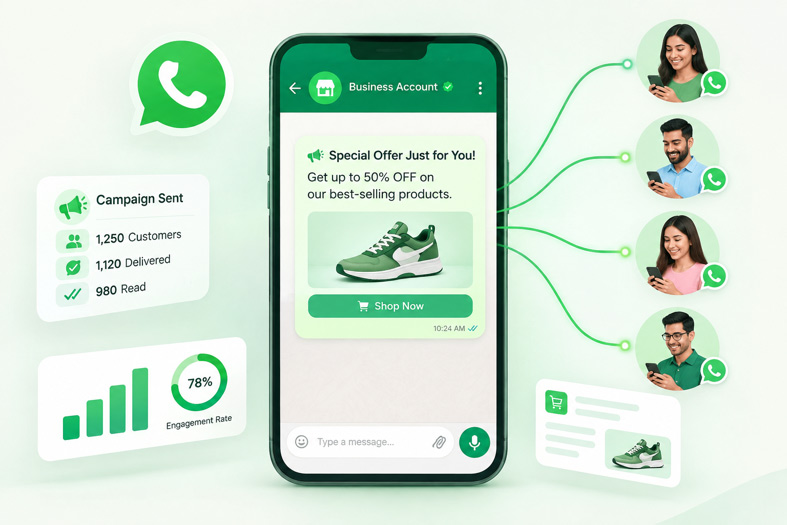
Reach your customers with targeted WhatsApp campaigns and keep them engaged after every purchase. Send personalized offers, discounts, product updates, and follow-up messages automatically to encourage repeat purchases and build stronger customer relationships.
5. Add Chatbots and Automated Replies
Automate customer conversations with WhatsApp chatbots and instant replies. Answer common questions, share information, collect customer details, and provide support automatically—even outside business hours.
6. Connect WhatsApp With Your CRM
Businesses often keep customer information in CRM systems.
A WhatsApp API integration can connect customer conversations with business systems and workflows.
For example:
Customer enquiry → WhatsApp → CRM → Sales follow-up
This can help sales teams keep track of leads instead of managing everything manually through individual WhatsApp chats.
For businesses that receive a large number of enquiries, this can make follow-ups much easier to manage.
7. Give Multiple Team Members Access
As a business grows, one person may not be able to handle every WhatsApp conversation.
A connected API platform can provide a shared inbox where multiple agents can manage customer conversations.
For example:
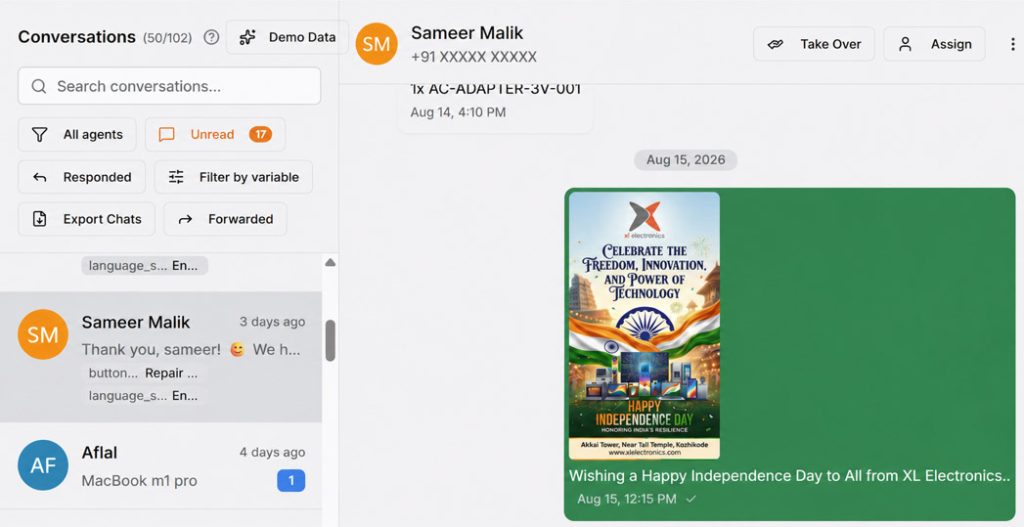
With team-based WhatsApp management, businesses can organize conversations by teams, such as Sales and Support, and assign chats to different agents. This ensures customers are not dependent on a single employee’s phone and helps teams manage customer communication more efficiently.
How XL Technologies Can Help UAE Real Estate Businesses
Moving to Google Workspace involves more than creating user accounts.
A successful deployment should consider domain configuration, user setup, email migration, permissions, security, data transfer, mobile devices, employee onboarding, and ongoing administration.
XL Technologies provides Google Workspace services for UAE businesses, including setup and configuration, email and data migration, Admin Console setup, security hardening, training, monitoring, support, consulting, and licensing assistance.
Businesses can also migrate from platforms such as Microsoft 365, Zoho, cPanel, Exchange, or other existing email environments according to their requirements.
Conclusion
Google Workspace can provide real estate businesses with a connected digital environment for communication, collaboration, document management, scheduling, meetings, sales tracking, and productivity.
For UAE real estate companies, these capabilities are particularly relevant as the sector continues moving toward digital and AI-enabled services. Dubai’s real estate ecosystem is actively investing in PropTech, digital transactions, AI, and data-driven services, making efficient digital infrastructure increasingly important.
The right implementation can help real estate teams spend less time searching for files and managing disconnected tools and more time communicating with clients, closing deals, managing properties, and growing the business.
Frequently Asked Questions
Is Google Workspace suitable for real estate companies?
Yes. Google Workspace can support real estate agencies, property managers, developers, brokers, and independent agents with business email, cloud storage, collaboration, meetings, scheduling, document management, and AI-assisted productivity.
How can Google Workspace help real estate agents?
Agents can use Gmail for client communication, Drive for property documents, Calendar for viewings, Meet for virtual meetings, Sheets for lead tracking, and Docs or Slides for proposals and presentations.
Can Google Workspace replace a real estate CRM?
Not necessarily. Google Workspace provides productivity and collaboration tools, while a dedicated CRM can manage specialised sales and customer workflows. The two can often be used together.
Can I migrate my existing real estate business email to Google Workspace?
Yes. Google Workspace supports business email migration, and XL Technologies provides email and data migration services for businesses moving from platforms such as Microsoft 365, Zoho, cPanel, and Exchange.
Is Google Workspace secure for real estate data?
Google Workspace provides business-grade security and administrative controls, but organisations must configure these controls appropriately and establish suitable access, authentication, data protection, and employee security policies.
Can XL Technologies set up Google Workspace for a UAE real estate company?
Yes. XL Technologies offers Google Workspace setup, migration, security hardening, training, monitoring, licensing, and local support for UAE businesses.