
Google Workspace for Real Estate Business
By Divya – Support Engineer and Google Cloud Certified Digital Leader with 2+ years of experience in Google Workspace administration at XL Technologies. Her expertise includes user account creation, permission management, email configuration, security, and ticket handling. With proven skills, she ensures smooth, secure, and efficient Workspace operations for clients. At XL Technologies, Divya plays a key role in driving digital transformation through Google Cloud solutions. She is passionate about helping businesses maximize productivity and collaboration with Google Workspace.
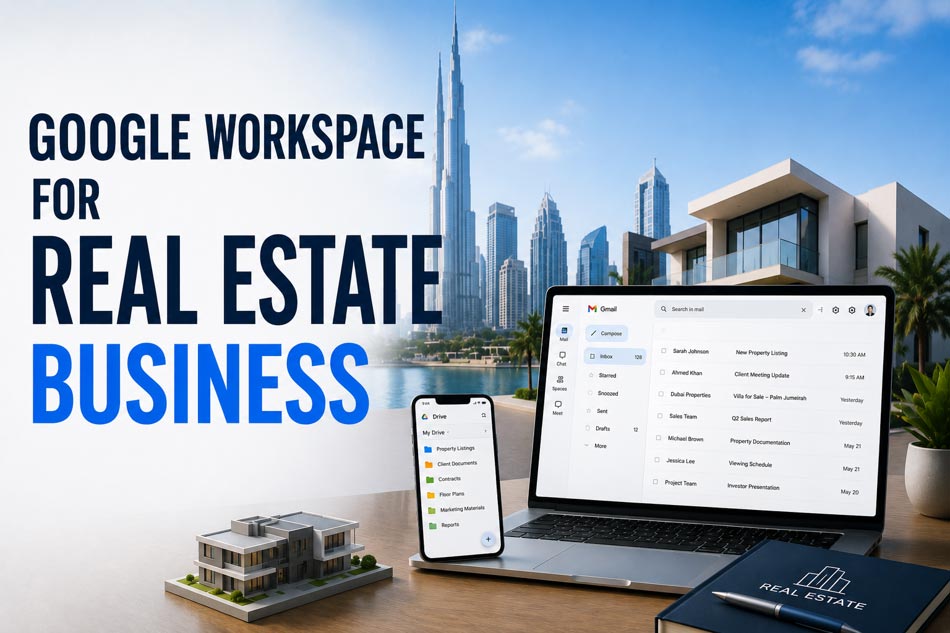
The real estate industry relies on fast communication, secure document management, client coordination, and seamless teamwork. For UAE real estate agencies, brokers, developers, and property management companies, Google Workspace provides a connected set of tools to manage daily operations more efficiently. From professional business email to cloud-based collaboration, it helps real estate teams work productively from the office, property sites, client meetings, or remotely.
In this blog, we explore how Google Workspace can benefit real estate businesses through Gmail, Drive, Docs, Sheets, Calendar, Meet, Chat, Forms, and Gemini. We also cover property document management, team collaboration, lead tracking, virtual meetings, data security, remote work, and AI-powered productivity, along with how XL Technologies can support Google Workspace setup, migration, security, and ongoing support.
Why Real Estate Businesses Need Better Digital Collaboration
Real estate teams manage large amounts of information every day. A single transaction can involve property documents, contracts, brochures, floor plans, client communications, financial information, viewing schedules, and internal approvals.
When these files and conversations are spread across personal email accounts, local computers, WhatsApp messages, USB drives, and disconnected storage platforms, employees can struggle to find the latest information.
Google Workspace provides a cloud-based environment where teams can create, store, share, communicate, and collaborate using connected business applications.
This is especially useful for real estate companies with agents working across multiple properties or branches.
1. Professional Business Email with Gmail
Gmail provides real estate companies with professional email addresses using their own business domain, such as [email protected], instead of relying on personal email accounts.
For a property consultant communicating with buyers, sellers, landlords, tenants, developers, and investors, professional email can reinforce brand credibility.
Gmail can also help agents organise large volumes of communication using labels, filters, search, priority settings, and integrated Calendar functionality.
Google’s real estate customer stories demonstrate how organisations such as Compass use Gmail as a central part of daily communication with buyers, sellers, attorneys, and bankers.
2. Store Property Documents Securely with Google Drive
- Property listings
- Sales agreements
- Rental documents
- Floor plans
- Property photographs
- Marketing brochures
- Client documents
- Inspection reports
- Financial spreadsheets
- Project presentations
3. Collaborate on Property Documents in Real Time
Real estate transactions often require input from several people.
For example, an agent may prepare a client proposal while a manager reviews pricing, the marketing team adds property information, and another employee checks the documentation.
With Google Docs, Sheets, and Slides, multiple authorised users can collaborate on the same file rather than creating multiple versions.
This can reduce confusion around files such as:
Property Listing.xlsx
Property Listing Final.xlsx
Property Listing Final Updated.xlsx
Property Listing Final Updated 2.xlsx
Teams can instead work from a central document with controlled access and version history.
4. Manage Property Viewings with Google Calendar
Property agents often manage multiple appointments in a single day.
Google Calendar can help teams schedule:
- Property viewings
- Client meetings
- Developer meetings
- Property inspections
- Team meetings
- Contract deadlines
- Follow-up calls
- Property handovers
Calendar can also integrate with Google Meet, allowing teams to create online meetings directly from scheduled events.
For real estate agencies with multiple agents, shared calendars can improve visibility into availability and reduce scheduling conflicts.
5. Conduct Virtual Property Meetings with Google Meet
Not every client can attend an office or property meeting in person.
International investors, overseas buyers, landlords, developers, and corporate clients may need remote meetings.
Google Meet allows real estate teams to conduct video meetings without requiring clients to be physically present.
Agents can use Meet for:
- Overseas investor consultations
- Property presentations
- Developer meetings
- Internal sales meetings
- Property management discussions
- Client follow-ups
This is particularly relevant in Dubai’s internationally oriented property market, where technology is increasingly being used to create faster and more digital investment experiences.
6. Improve Agent Communication with Google Chat
Real estate businesses need quick internal communication.
Instead of relying entirely on email for every internal conversation, teams can use Google Chat and Spaces to organise discussions around specific projects, branches, campaigns, or transactions.
For example, an agency could create dedicated Spaces for:
- Dubai Marina properties
- New property launches
- Property management
- Marketing campaigns
- Sales operations
- Administration
This helps separate internal conversations from customer email communication.
7. Use Google Sheets for Property and Sales Tracking
Google Sheets can be useful for managing structured real estate information.
Teams can create spreadsheets for:
- Property inventories
- Lead tracking
- Sales pipelines
- Rental listings
- Viewing schedules
- Commission calculations
- Marketing performance
- Agent targets
- Property maintenance
- Client follow-ups
Because Sheets supports real-time collaboration, sales managers can monitor information while agents update records.
However, businesses should recognise that Sheets is not automatically a replacement for a dedicated CRM or property management system. Instead, it can complement existing systems where appropriate.
8. Create Property Marketing Materials with Google Slides
Real estate marketing frequently involves presentations for buyers, investors, developers, and corporate clients.
Google Slides can help teams create:
- Property presentations
- Investment proposals
- Project presentations
- Sales decks
- Market reports
- Development overviews
- Client presentations
Because presentations are stored in the cloud, authorised employees can access and update them without passing large files between devices.
9. Use Forms to Capture Real Estate Leads
Google Forms can provide a simple way to collect structured information.
For example, a real estate company could create lead forms asking prospects about:
- Preferred location
- Property type
- Budget
- Purchase or rental requirements
- Number of bedrooms
- Preferred move-in date
- Contact information
Responses can be connected to Google Sheets for follow-up and analysis.
For more advanced lead management, businesses can integrate Workspace with their existing CRM and other sales platforms.
10. Strengthen Security for Real Estate Data
Security is critical because real estate companies may handle personal information, contracts, identification documents, financial details, and confidential transaction information.
Google Workspace includes business security and administrative controls, including two-step verification, administrator controls, device management options, and security features across Workspace applications.
Businesses should also implement appropriate access controls so that employees only access information required for their roles.
For example, a junior marketing employee may need access to property photographs and brochures but should not automatically have access to confidential financial or transaction documents.
11. Support Remote and Mobile Real Estate Teams
Real estate agents are rarely at their desks all day.
They may be:
- Visiting properties
- Meeting clients
- Attending developer launches
- Conducting inspections
- Travelling between branches
- Meeting investors
Google Workspace is cloud-based, allowing employees to work across devices and locations. Google highlights its ability to support real-time collaboration across devices and connected applications.
This flexibility can help agencies maintain productivity even when employees are working away from the office.
12. Use Gemini to Improve Productivity
AI is becoming increasingly relevant to real estate operations.
Google Workspace integrates Gemini capabilities into its productivity environment, helping users work with information and create content more efficiently.
For example, agents may use AI assistance to help draft professional email responses, summarise information, prepare content, or organise tasks—subject to the organisation’s policies and appropriate human review.
Google’s Compass customer story specifically highlights the use of Workspace with Gemini in real estate, including Gmail, Drive, Calendar, Docs, Sheets, and Meet.
For UAE real estate businesses, this aligns with the wider movement toward AI and digital transformation in the property sector. Dubai Land Department has also introduced AI initiatives with Google Cloud aimed at improving the investor experience and real estate decision-making.
Google Workspace for Different Real Estate Businesses
Real Estate Agencies
Agencies can use Workspace for agent email, lead management, property documentation, team communication, meetings, and marketing.
Property Management Companies
Property managers can use Drive for documentation, Calendar for inspections, Gmail for tenant communication, Sheets for operational tracking, and Meet for remote discussions.
Real Estate Developers
Independent Real Estate Agents
Google Workspace vs. Traditional Office Tools for Real Estate
Traditional office software can still be useful, but cloud collaboration becomes increasingly important when teams work across branches, properties, and locations.
Requirement | Google Workspace |
Business email | Gmail with custom domain |
File storage | Google Drive |
Documents | Google Docs |
Spreadsheets | Google Sheets |
Presentations | Google Slides |
Meetings | Google Meet |
Scheduling | Google Calendar |
Team communication | Google Chat |
Lead forms | Google Forms |
AI assistance | Gemini |
Administration | Google Admin Console |
How XL Technologies Can Help UAE Real Estate Businesses
Moving to Google Workspace involves more than creating user accounts.
A successful deployment should consider domain configuration, user setup, email migration, permissions, security, data transfer, mobile devices, employee onboarding, and ongoing administration.
XL Technologies provides Google Workspace services for UAE businesses, including setup and configuration, email and data migration, Admin Console setup, security hardening, training, monitoring, support, consulting, and licensing assistance.
Businesses can also migrate from platforms such as Microsoft 365, Zoho, cPanel, Exchange, or other existing email environments according to their requirements.
Conclusion
Google Workspace can provide real estate businesses with a connected digital environment for communication, collaboration, document management, scheduling, meetings, sales tracking, and productivity.
For UAE real estate companies, these capabilities are particularly relevant as the sector continues moving toward digital and AI-enabled services. Dubai’s real estate ecosystem is actively investing in PropTech, digital transactions, AI, and data-driven services, making efficient digital infrastructure increasingly important.
The right implementation can help real estate teams spend less time searching for files and managing disconnected tools and more time communicating with clients, closing deals, managing properties, and growing the business.
Frequently Asked Questions
Is Google Workspace suitable for real estate companies?
Yes. Google Workspace can support real estate agencies, property managers, developers, brokers, and independent agents with business email, cloud storage, collaboration, meetings, scheduling, document management, and AI-assisted productivity.
How can Google Workspace help real estate agents?
Agents can use Gmail for client communication, Drive for property documents, Calendar for viewings, Meet for virtual meetings, Sheets for lead tracking, and Docs or Slides for proposals and presentations.
Can Google Workspace replace a real estate CRM?
Not necessarily. Google Workspace provides productivity and collaboration tools, while a dedicated CRM can manage specialised sales and customer workflows. The two can often be used together.
Can I migrate my existing real estate business email to Google Workspace?
Yes. Google Workspace supports business email migration, and XL Technologies provides email and data migration services for businesses moving from platforms such as Microsoft 365, Zoho, cPanel, and Exchange.
Is Google Workspace secure for real estate data?
Google Workspace provides business-grade security and administrative controls, but organisations must configure these controls appropriately and establish suitable access, authentication, data protection, and employee security policies.
Can XL Technologies set up Google Workspace for a UAE real estate company?
Yes. XL Technologies offers Google Workspace setup, migration, security hardening, training, monitoring, licensing, and local support for UAE businesses.