
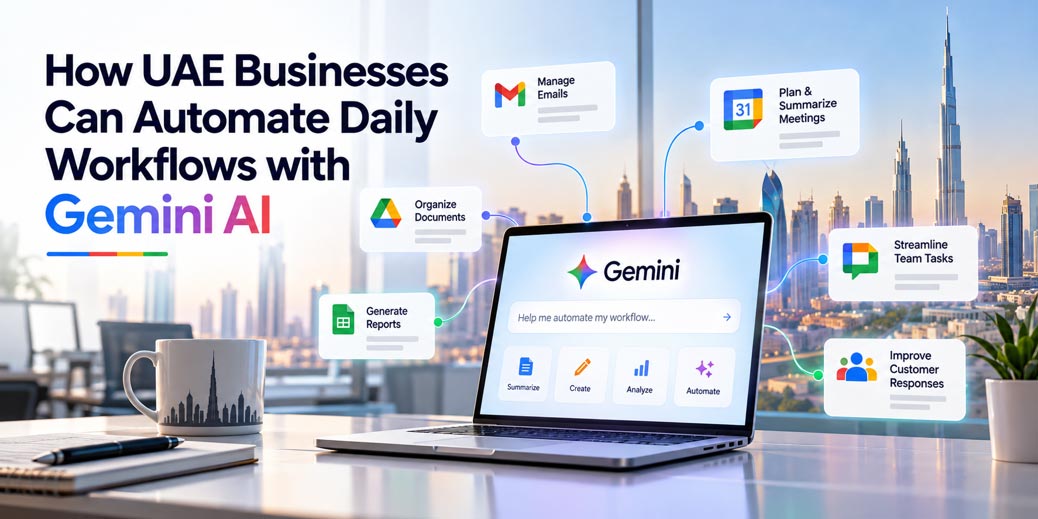
How UAE Businesses Can Automate Daily Workflows with Gemini AI
By Divya – Support Engineer and Google Cloud Certified Digital Leader with 2+ years of experience in Google Workspace administration at XL Technologies. Her expertise includes user account creation, permission management, email configuration, security, and ticket handling. With proven skills, she ensures smooth, secure, and efficient Workspace operations for clients. At XL Technologies, Divya plays a key role in driving digital transformation through Google Cloud solutions. She is passionate about helping businesses maximize productivity and collaboration with Google Workspace.
- Why UAE Businesses Should Consider Workflow Automation
- 7 Daily Business Workflows You Can Automate with Gemini AI
- Gemini AI vs. Traditional Workflow Automation
- How to Start Automating Business Workflows with Gemini
- How to Measure the Business Impact of Gemini Automation
- Security Considerations for UAE Businesses
- How XL Technologies Can Help UAE Businesses Get Started
UAE businesses manage multiple daily tasks, from handling customer emails and preparing reports to coordinating meetings and organizing documents. These activities are essential, but repetitive manual work can reduce employee productivity and delay important business decisions. Gemini AI and Google Workspace automation tools offer ways to simplify these tasks.
In this guide, we explore practical ways businesses in Dubai, Abu Dhabi, Sharjah and across the UAE can use Gemini to streamline daily workflows, reduce repetitive work and improve team efficiency. We also explain how to identify suitable processes, implement automation responsibly and measure its business impact.
Why UAE Businesses Should Consider Workflow Automation
As businesses grow, routine administrative work often increases. Employees may spend significant time searching for information, copying data between applications, preparing reports and following up on pending requests.
These tasks can create operational challenges, particularly for companies managing multiple departments, customers and projects.
Workflow automation can help businesses:
- Reduce time spent on repetitive administrative tasks.
- Improve consistency in routine processes.
- Organize information across business applications.
- Speed up internal communication and follow-ups.
- Give employees more time for customer service and strategic work.
- Improve visibility into tasks and outstanding requests.
For UAE companies operating across different locations or departments, automating selected workflows can also help standardize internal processes.
The goal is not to automate every task. It is to identify activities where automation can deliver measurable improvements without compromising accuracy, security or human oversight.
7 Daily Business Workflows You Can Automate with Gemini AI
1. Organize Business Emails and Prioritize Requests
Business inboxes frequently contain customer enquiries, supplier communications, internal requests, invoices and meeting invitations. Important messages can become difficult to identify when employees receive a large volume of emails.
Gemini can help employees understand email threads, summarize conversations and prepare responses. With suitable workflow configuration, Google Workspace Studio can also support automated email classification and other repeatable email processes.
Example workflow:
- Identify incoming emails that match defined business criteria.
- Categorize messages by type, such as sales enquiry, support request or internal communication.
- Apply appropriate labels or organize messages according to the configured rules.
- Highlight priority requests for employee review.
- Prepare draft replies where appropriate.
Business benefit: Employees can identify important communications more quickly and spend less time manually organizing their inboxes.
For example, a Dubai-based IT service provider could create a process for identifying customer support requests and highlighting messages that need a response.
Automation should be tested carefully to prevent important emails from being misclassified or overlooked.
2. Automate Meeting Preparation and Follow-Ups
Meetings often create additional work after the discussion ends. Employees need to summarize decisions, identify responsibilities, prepare follow-up messages and communicate deadlines.
Gemini can assist with meeting preparation, summarization and drafting follow-up content. Depending on the available features and configuration, Workspace automation can help coordinate several steps in the process.
Example workflow:
- Collect relevant meeting information and approved supporting documents.
- Prepare a meeting summary.
- Identify decisions, action items and suggested deadlines.
- Create a draft follow-up email for the meeting organizer.
- Share the summary with the appropriate team after review.
Business benefit: Teams can reduce time spent documenting meetings and improve visibility into agreed next steps.
For UAE businesses coordinating sales, operations or project teams across different emirates, a consistent follow-up process can help reduce communication gaps.
Important decisions and assigned responsibilities should be reviewed by the meeting owner before they are treated as final.
3. Simplify Weekly and Monthly Reporting
Preparing business reports often involves collecting information from spreadsheets, reviewing performance figures and writing summaries for managers.
Gemini in Google Sheets can help users analyze data, organize information and create structured tables. Gemini can also assist with drafting reports and presentations using relevant information available to the user.
Example workflow:
- Collect information from approved business spreadsheets.
- Check whether the reporting period and required data are complete.
- Use Gemini to help summarize trends and identify unusual changes.
- Prepare a draft report in Google Docs.
- Create a presentation highlighting key findings and recommendations.
- Ask the responsible manager to validate the figures before distribution.
Business benefit: Reporting teams can spend less time formatting information and more time interpreting business performance.
For example, a UAE marketing agency could use this approach to prepare a monthly campaign report covering advertising expenditure, leads, cost per lead and conversion performance.
AI-generated summaries must be checked against the original data. Gemini should not be treated as a substitute for financial reconciliation or management approval.
4. Organize Documents and Email Attachments
Employees regularly receive documents that need to be stored, reviewed and shared with the correct department. Manually downloading, renaming and filing attachments can become time-consuming.
Google Workspace Studio supports workflows that can save email attachments to designated Google Drive folders and record information in Google Sheets, subject to the configured steps and permissions.
Example workflow:
- Detect an email that matches the required criteria.
- Identify the relevant attachment.
- Save the file to an approved Drive folder.
- Record selected details, such as the received date, sender or document category, in a spreadsheet.
- Notify the responsible employee that the file is available.
Business benefit: Businesses can reduce manual filing and improve document organization.
This workflow may be useful for companies receiving supplier quotations, project documents, purchase requests or routine operational records.
Businesses should define folder permissions, document naming conventions and retention requirements before implementing the workflow. Sensitive files should only be accessible to authorized employees.
5. Improve Sales Enquiry Management
Sales teams often receive enquiries through email, website forms, referrals and other channels. Employees must review requests, gather relevant information and prepare follow-up messages.
Gemini can help summarize enquiries, prepare personalized draft responses and organize information for sales representatives. More advanced workflows may require CRM integrations or additional configuration.
Example workflow:
- Identify an incoming sales enquiry.
- Summarize the prospect’s requirements.
- Extract relevant details, such as requested services, company information and next steps.
- Prepare a draft response based on approved business information.
- Notify the assigned sales representative.
- Update the CRM only when the required integration and permissions are configured.
Business benefit: Sales representatives can spend less time preparing routine communications and more time qualifying prospects and building customer relationships.
For a UAE company offering IT services, the workflow could help the sales team organize enquiries about cloud solutions, software development or business email services.
AI should not independently promise pricing, delivery dates or contractual terms without the necessary approval.
6. Streamline Internal Employee Requests
HR and administration teams regularly handle questions about leave procedures, company policies, equipment requests and internal processes.
Gemini can help employees locate and summarize approved information, while a configured workflow can route requests to the appropriate team.
Example workflow:
- Receive an employee request through an approved channel.
- Identify the type of request.
- Retrieve relevant information from authorized company documents.
- Provide a draft answer or direct the request to the responsible department.
- Notify the employee when additional review is required.
Business benefit: Employees can find routine information more quickly, and HR teams can focus on requests requiring individual attention.
For example, an employee could ask where to find the company’s leave policy rather than contacting HR for the document.
Sensitive employment matters, salary information and personal data require strict access controls. Decisions involving employee rights or employment status should remain subject to appropriate human review.
7. Coordinate Marketing Content and Campaign Reporting
Marketing teams manage content calendars, campaign briefs, performance reports, creative requests and communication between multiple stakeholders.
Gemini can assist with drafting content briefs, summarizing campaign results, organizing ideas and preparing presentations. Workflow automation can help coordinate recurring administrative steps.
Example workflow:
- Collect campaign objectives and approved brand guidelines.
- Draft a campaign brief or content calendar.
- Organize the proposed deliverables in a shared document or spreadsheet.
- Notify relevant team members about review requirements.
- Summarize campaign performance using verified reporting data.
- Prepare a draft presentation for the marketing manager.
Business benefit: Marketing teams can reduce administrative work and coordinate campaign activities more consistently.
For UAE companies running campaigns across Dubai, Abu Dhabi and Sharjah, a shared workflow can help keep content planning and reporting organized.
AI-generated content still requires brand, factual and compliance checks before publication.
Gemini AI vs. Traditional Workflow Automation
Gemini and traditional automation can complement each other, but they serve different purposes.
Business requirement | Traditional automation | Gemini-assisted workflow |
Move a file when a fixed condition is met | Suitable | May be unnecessary |
Summarize a long email conversation | Limited without additional tools | Can assist with summarization |
Prepare a draft customer response | Requires predefined templates or other tools | Can generate a contextual draft |
Record information in a spreadsheet | Suitable for structured rules | Can assist with interpreting or organizing information |
Identify themes in written feedback | Requires extra logic or analysis tools | Can help summarize recurring themes |
Approve sensitive financial transactions | Requires defined authorization controls | Should retain appropriate human approval |
The best approach depends on the task. Fixed, predictable processes may need only traditional automation, while tasks involving written information or summarization may benefit from Gemini.
How to Start Automating Business Workflows with Gemini
UAE businesses do not need to automate every department at once. A phased approach can help teams test results and manage risk.
Step 1: Identify a Repetitive Task
Choose a process that happens frequently and consumes measurable employee time.
Examples include email organization, meeting summaries, document filing and weekly report preparation.
Step 2: Map the Existing Process
Document how the task currently works, including its trigger, required information, responsible employees and expected outcome.
This helps identify unnecessary steps before automation begins.
Step 3: Choose the Right Google Workspace Tool
Gemini can assist with individual tasks inside supported Workspace applications. Google Workspace Studio can be used to design and manage repeatable AI-powered workflows.
The correct option depends on your Workspace edition, feature availability, required integrations and the complexity of the process.
Step 4: Define Permissions and Approval Rules
Determine which information the workflow can access and what actions it can perform.
Start with low-risk activities. Require human approval for sensitive communications, financial activities, HR matters or changes that could affect customers.
Step 5: Test Before Deployment
Run the workflow with sample information and realistic scenarios. Check for incorrect summaries, missing attachments, inaccurate classifications and unintended actions.
Keep a clear process for reporting problems and disabling a workflow when necessary.
Step 6: Measure the Results
Compare performance before and after automation. Use the results to decide whether to improve, expand or discontinue the workflow.
How to Measure the Business Impact of Gemini Automation
Automation should produce measurable operational benefits rather than simply introduce a new technology.
Businesses can track the following metrics:
- Time saved: Employee hours reduced per week or month.
- Response time: Time taken to respond to customer or internal requests.
- Error rate: Frequency of incorrect classifications, missing information or manual corrections.
- Process completion: Percentage of workflows completed successfully.
- Employee adoption: Number of employees actively using the workflow.
- Cost per process: Estimated operational cost before and after automation.
For example, if a reporting process previously required four hours each week and automation reduces the preparation time to two and a half hours, the business saves approximately 1.5 hours per week on that process.
This is an illustrative calculation, not a guaranteed result. Actual savings depend on workflow complexity, data quality, review requirements and employee adoption.
Security Considerations for UAE Businesses
Before introducing AI-assisted workflows, businesses should review their data access, security settings and internal policies.
Important considerations include:
- Restrict access to information required for the workflow.
- Review Google Workspace administrator settings and available AI controls.
- Protect confidential business information and personal data.
- Test integrations before allowing them to access company systems.
- Keep human approval for sensitive or high-impact actions.
- Review applicable UAE data protection, contractual and industry-specific requirements.
Google states that customer data in Google Workspace is not used to train or improve Gemini models for advertising purposes, and Gemini in Workspace retrieves relevant information the user is authorized to access. Businesses should review the applicable Google Workspace AI privacy information and their own configuration before deployment.
AI capabilities and availability can vary by Workspace edition, administrator settings and rollout status. Businesses should verify the current feature requirements before planning a production workflow.
How XL Technologies Can Help UAE Businesses Get Started
Successful automation begins with the right cloud productivity environment, clear business processes and appropriate security controls.
XL Technologies helps businesses across the UAE with Google Workspace setup, migration, configuration, security, licensing and ongoing technical support. Our team can help assess your current environment, identify suitable automation opportunities and prepare your Workspace setup for more efficient collaboration.
Whether your business operates in Dubai, Abu Dhabi, Sharjah or elsewhere in the UAE, a structured approach can help you adopt Gemini-powered productivity features according to your operational needs.
Contact XL Technologies to discuss your Google Workspace requirements and identify practical opportunities to streamline your business workflows.
Frequently Asked Questions
1. How can UAE businesses use Gemini AI to automate daily workflows?
Businesses can use Gemini to assist with email management, meeting preparation, report drafting, document organization, sales communications and marketing administration. Repeatable processes may be automated using Google Workspace Studio or suitable integrations, depending on feature availability and configuration.
2. What is Google Workspace Studio?
Google Workspace Studio is a tool for designing, managing and sharing AI-powered workflows within Google Workspace. It helps users create workflows using natural-language instructions and predefined steps without necessarily writing code.
3. Can Gemini automate tasks in Gmail and Google Drive?
Gemini can assist with tasks involving Gmail and Drive, subject to the available features and user permissions. Workspace Studio can also support configured workflows such as saving attachments to designated Drive folders.
4. Is Gemini AI suitable for small businesses in the UAE?
Yes. Small businesses can start with simple, repetitive tasks such as meeting summaries, document organization and routine email workflows. They should verify their Workspace edition, available features and configuration requirements before implementation.
5. Does Gemini replace employees?
Gemini is best used to assist employees with repetitive tasks, information processing and content preparation. Human expertise remains important for judgment, customer relationships, sensitive decisions and checking the accuracy of AI-generated information.
6. How can businesses measure the success of AI workflow automation?
Businesses can compare time spent on tasks, response times, error rates, completion rates, employee adoption and estimated operating costs before and after implementation. These measures help determine whether the workflow delivers practical value.