
Business Email Stops Working During a Google Workspace Migration
By Divya – Support Engineer and Google Cloud Certified Digital Leader with 2+ years of experience in Google Workspace administration at XL Technologies. Her expertise includes user account creation, permission management, email configuration, security, and ticket handling. With proven skills, she ensures smooth, secure, and efficient Workspace operations for clients. At XL Technologies, Divya plays a key role in driving digital transformation through Google Cloud solutions. She is passionate about helping businesses maximize productivity and collaboration with Google Workspace.
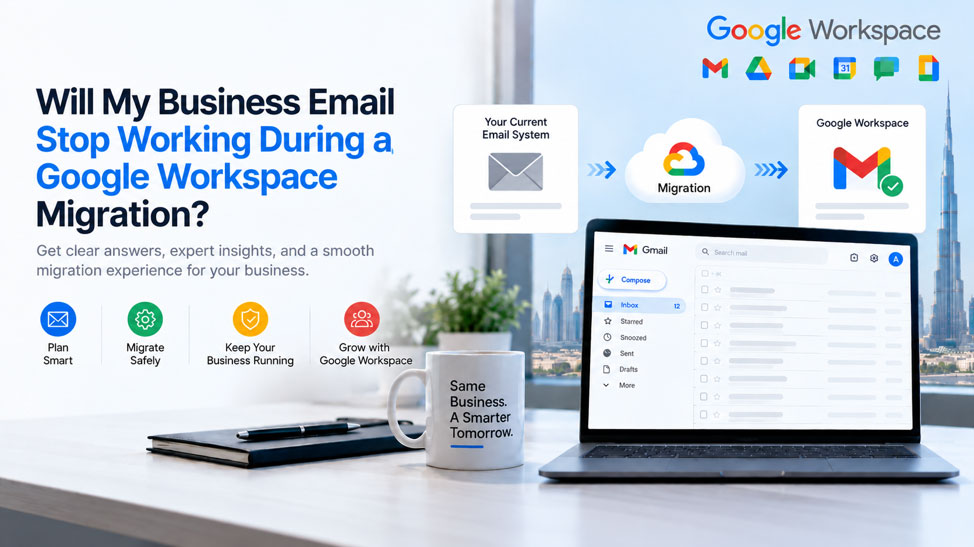
- How Does Google Workspace Email Migration Work?
- What Can Cause Email Problems During a Migration?
- Can You Migrate Email Without Disrupting Business Operations?
- What If We Are Moving From Microsoft 365, Zoho or cPanel?
- Why Email Migration Planning Matters for UAE Businesses
- Why Choose XL Technologies for Google Workspace Migration in UAE?
- What Happens After the Migration?
- A Simple Google Workspace Migration Checklist
- Conclusion
Moving your business email to Google Workspace is an important technology upgrade, but many UAE businesses have one major concern: Will my business email stop working during the migration? A properly planned migration lets your team keep using email while your existing data is transferred and the new Google Workspace environment is prepared.
In this blog, we explain how Google Workspace email migration works, what happens during the transition, how MX and DNS changes affect email delivery, what can cause disruption, and how businesses in the UAE can plan a smoother migration. We also explain how XL Technologies can support your business with Google Workspace setup, email migration, security configuration, licensing and ongoing support.
How Does Google Workspace Email Migration Work?
A professional migration normally happens in several stages.
1. Assessment and Migration Planning
Before moving anything, your existing email environment should be reviewed.
This includes identifying:
- Number of users and mailboxes
- Existing email addresses and aliases
- Mailbox sizes
- Domains and subdomains
- Current email provider
- Contacts and calendars
- Distribution groups
- DNS configuration
- Email security settings
- Data that needs to be migrated
Google recommends planning migration phases according to the size and complexity of the organization and the types of data being migrated.
At XL Technologies, our Google Workspace services include setup, email and data migration, Admin Console configuration, security hardening, training and ongoing support for UAE businesses.
2. Google Workspace Setup
The new Google Workspace environment is configured before the final email switch.
This may include:
- Creating user accounts
- Verifying your business domain
- Setting administrator permissions
- Configuring security policies
- Preparing Gmail
- Configuring Google Drive and collaboration services
- Reviewing email authentication requirements
Preparing the environment first means users are not waiting for the new system to be built after the email routing has already changed.
3. Existing Email Data Is Migrated
The next stage is transferring historical email and other supported data into Google Workspace.
Google’s current migration resources support moving email from Microsoft environments, IMAP-based providers and other supported sources.
Importantly, data migration and email routing are separate parts of the process.
Historical email can be migrated while your existing email service continues to handle normal business communication.
For larger migrations, data can also be organized into phases, with additional or recently changed data migrated before the final transition.
4. Testing and Validation
Before the final cutover, the new environment should be tested.
This can include checking:
- User login access
- Incoming email
- Outgoing email
- Migrated messages
- Attachments
- Aliases
- Groups
- Calendars
- Contacts
- Mobile access
- Security settings
Testing helps identify configuration issues before the business fully depends on the new environment.
5. MX Record Change
One of the most important technical steps in an email migration is changing the MX records for your domain.
MX records tell other mail servers where messages for your domain should be delivered.
Once Google Workspace is ready and the migration plan is validated, the domain’s email routing can be changed so that new incoming messages are delivered through Google.
This is why DNS and MX configuration should be handled carefully as part of the migration plan.
6. Post-Migration Monitoring
The migration should not simply end after the MX records are changed.
The new environment should be monitored to confirm that users can:
- Send email
- Receive email
- Access historical messages
- Use aliases and groups
- Access email on mobile devices
- Use related Google Workspace services
The previous email environment should also not be discarded prematurely.
Keeping the migration controlled and validated provides an additional layer of protection during the transition.
What Can Cause Email Problems During a Migration?
While a properly planned migration can minimize disruption, technical problems can occur when important steps are skipped.
Incorrect DNS or MX Configuration
Incorrect or conflicting DNS records can affect email delivery.
MX records should therefore be reviewed carefully before and after the cutover.
DNS Propagation
DNS changes may not become visible to every external mail system at exactly the same time.
This is one reason why businesses should plan the final routing change rather than treating it as a simple switch.
Missing User Accounts
Every mailbox should be identified before migration.
For example, if your company uses:
all required addresses, aliases and groups should be included in the migration plan.
Incomplete Data Migration
Moving email is not simply about creating new Gmail accounts.
Businesses may also need to consider:
- Historical email
- Attachments
- Contacts
- Calendars
- Folders
- Shared mailboxes
- Groups
Google’s migration tools have specific supported and unsupported features depending on the source environment, so the migration method should be selected according to your existing platform.
Incorrect Email Authentication
SPF, DKIM and DMARC should also be considered when moving business email.
These technologies can help protect your domain against spoofing and improve email authentication and deliverability.
A Google Workspace migration is therefore an opportunity to review your organization’s email security—not simply change the mailbox provider.
Can You Migrate Email Without Disrupting Business Operations?
Yes, the goal of a well-planned migration is to minimize disruption and keep business operations running during the transition.
However, businesses should avoid treating “zero downtime” as an unconditional guarantee.
DNS behavior, source-system problems, incorrect configurations and unexpected technical issues can affect individual migrations.
A better approach is to reduce risk through a structured process:
Assessment → Setup → Data Migration → Testing → MX Cutover → Monitoring
Google itself describes its migration solutions as helping organizations transition with minimal disruption, while its migration guidance emphasizes planning, testing and migration phases
What If We Are Moving From Microsoft 365, Zoho or cPanel?
You do not necessarily need to start from scratch.
Google provides migration options for supported environments, and professional migration services can help businesses transition from platforms such as Microsoft 365, Exchange, Zoho, cPanel and other email systems.
Microsoft 365
The migration plan should account for Microsoft 365 mailboxes and the appropriate Google migration method.
Microsoft Exchange
Exchange environments require appropriate mapping and configuration of users and data before migration.
Zoho Mail
The existing Zoho mailbox environment can be assessed to determine the appropriate migration approach.
cPanel/Webmail
Many cPanel-hosted mailboxes use IMAP, allowing supported email data to be migrated using an appropriate IMAP migration method.
The important point is to assess the existing environment before selecting the migration method.
Why Email Migration Planning Matters for UAE Businesses
For businesses in Dubai and across the UAE, email is connected to almost every part of the organization.
A business mailbox may contain customer communications, quotations, invoices, contracts, employee conversations and sensitive business information.
This makes migration planning particularly important.
The UAE also maintains national cybersecurity and cloud-security policies addressing areas such as information security, cloud environments and data protection.
Businesses should therefore consider their applicable security, contractual and regulatory requirements when planning how business data is migrated and managed.
For this reason, a Google Workspace migration should be approached as part of your broader IT, security and business continuity planning.
Why Choose XL Technologies for Google Workspace Migration in UAE?
Choosing the right migration partner can make the transition significantly easier.
XL Technologies provides Google Workspace partner services for businesses in the UAE, including:
- Workspace Setup & Configuration
- Email & Data Migration
- Admin Console Setup
- Security Hardening & Backup
- Training & Onboarding
- Monitoring & Support
- Consulting & Best Practices
- Licensing & Billing Support
These services are designed to help businesses move from existing platforms while keeping the migration structured and manageable.
Instead of asking your internal team to manage mailbox migration, DNS configuration, security settings, and Google Workspace administration alone, you can work with a specialist team to manage the technical process.
Local UAE Support
Working with a UAE-based Google Workspace partner gives businesses access to local support for setup, licensing, configuration, and post-migration assistance.
For organizations that need help beyond the initial migration, XL Technologies also provides training and ongoing support to help administrators and employees get more value from Google Workspace.
What Happens After the Migration?
Moving to Google Workspace is only the beginning.
Once your email migration is complete, your business can use the wider Google Workspace environment, including:
Gmail
Professional business email using your company’s domain.
Google Drive
Cloud file storage and sharing for teams.
Google Meet
Video meetings and online collaboration.
Google Chat
Team communication and collaboration.
Google Calendar
Scheduling, meetings and shared calendars.,
Google Workspace Security
Administrative controls, authentication and security policies can be managed centrally through the Admin Console.
Together, these tools can help businesses bring email, communication, file sharing and collaboration into one connected workspace.
A Simple Google Workspace Migration Checklist
Before moving your business email, make sure you have:
- Listed every user mailbox
- Identified aliases and shared addresses
- Reviewed your current email provider
- Checked mailbox sizes
- Identified required historical data
- Prepared Google Workspace accounts
- Verified your business domain
- Reviewed DNS records
- Planned MX changes
- Configured appropriate email authentication
- Tested migrated data
- Tested incoming and outgoing email
- Planned the cutover window
- Arranged post-migration support
Following these steps can help turn a potentially stressful email migration into a controlled and organized project.
Conclusion
A Google Workspace migration does not have to disrupt your business email. With proper planning, data migration, DNS configuration, testing, and post-migration monitoring, UAE businesses can transition to Google Workspace smoothly while keeping daily operations running.
With XL Technologies, you can simplify the entire migration with expert setup, email and data migration, security configuration, licensing, training, and ongoing UAE-based support. Move your business email to Google Workspace with confidence and professional guidance.
Frequently Asked Questions
Will my business email stop working during a Google Workspace migration?
Not necessarily. With proper planning, your existing email environment can remain operational while supported data is migrated and Google Workspace is prepared. The final email-routing change is performed after the new environment has been configured and tested.
Can I migrate my existing emails to Google Workspace?
Yes. Google provides migration and data-import options for supported email environments. The exact method depends on your current platform and the type of data you need to migrate.
Can XL Technologies migrate email from Microsoft 365 to Google Workspace?
XL Technologies provides email and data migration services for businesses moving from platforms including Microsoft 365, Exchange, Zoho and cPanel, based on the requirements of the source environment.
Will I keep my existing business email address?
Yes. Moving your email platform does not require you to change your business domain or public email addresses. Your existing domain can be configured for Google Workspace.
How long does Google Workspace migration take?
There is no single timeframe for every business. Migration duration depends on the number of users, amount of data, source platform, mailbox sizes and migration requirements. A pre-migration assessment can help determine the appropriate migration plan.
Can email migration be done outside business hours?
Yes. The final cutover can be planned around your business schedule. Many organizations choose a lower-activity period for important DNS and email-routing changes.
What happens to my old emails?
Supported historical email can be migrated into Google Workspace using the appropriate migration or data-import method. The exact process depends on your source platform