
How to Migrate from cPanel Webmail to Google Workspace Without Losing Emails
By Divya – Support Engineer and Google Cloud Certified Digital Leader with 2+ years of experience in Google Workspace administration at XL Technologies. Her expertise includes user account creation, permission management, email configuration, security, and ticket handling. With proven skills, she ensures smooth, secure, and efficient Workspace operations for clients. At XL Technologies, Divya plays a key role in driving digital transformation through Google Cloud solutions. She is passionate about helping businesses maximize productivity and collaboration with Google Workspace.
- Step-by-Step Process to Migrate from cPanel Webmail to Google Workspace
- Pre-Migration Checklist
- cPanel Webmail vs Google Workspace
- Can You Migrate Without Losing Emails?
- Common Migration Challenges
- What Data Can Be Migrated from cPanel Webmail to Google Workspace?
- Why Choose XL Technologies for cPanel Webmail to Google Workspace Migration?
- Conclusion
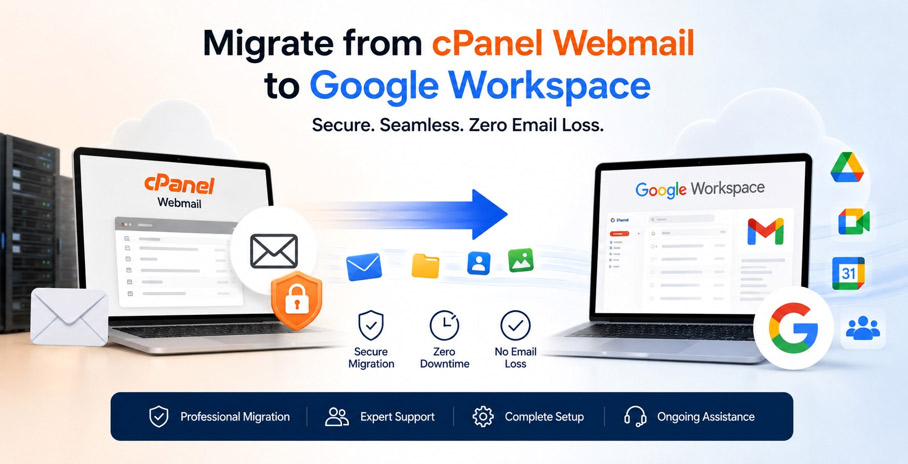
Migrating from cPanel Webmail to Google Workspace without losing emails is possible when the migration is planned and executed correctly. With the right approach, businesses can securely transfer email accounts, folders, contacts, and historical messages while minimizing downtime and ensuring data integrity.
This blog covers everything you need to know about migrating from cPanel Webmail to Google
Workspace, including a pre-migration checklist, the differences between cPanel Webmail and Google Workspace, the data that can be migrated, whether you can migrate without losing emails, common migration challenges, and the step-by-step migration process.
Step-by-Step Process to Migrate from cPanel Webmail to Google Workspace
Migrating from cPanel Webmail to Google Workspace involves careful planning to ensure your business experiences minimal disruption. While the technical migration is handled by IT professionals, understanding the overall process can help you prepare.
Step 1: Assess Your Current Email Environment
The first step is to review your existing email setup. This includes identifying:
- Number of email accounts
- Mailbox sizes
- Total data to be migrated
- Domain and DNS settings
- Existing email clients used by employees
A proper assessment helps determine the best migration strategy and timeline.
Step 2: Set Up Your Google Workspace Account
Next, your Google Workspace environment is configured. This includes:
- Creating user accounts
- Verifying your business domain
- Configuring security settings
- Setting up user permissions
- Preparing the Admin Console
This ensures the new email environment is ready before any data is transferred.
Step 3: Migrate Existing Emails
Your historical emails are securely transferred from cPanel Webmail to Google Workspace using Google’s supported migration methods.
Depending on your setup, the migration can include:
- Inbox emails
- Sent Items
- Drafts
- Custom folders
- Attachments
- Contacts
This step is performed carefully to preserve your existing email history.
Step 4: Update MX Records
Once the migration is complete, your domain’s MX (Mail Exchange) records are updated.
This tells the internet to deliver all new emails to Google Workspace instead of your cPanel mail server.
The change is planned carefully to minimize any interruption in email delivery.
Step 5: Verify the Migration
After the migration, each mailbox is checked to ensure:
- All emails have been transferred
- Users can send emails
- Users can receive emails
- Contacts are available
- Email synchronization is working correctly
This verification helps confirm a successful migration.
Step 6: Onboard Your Team
Finally, employees are introduced to Google Workspace and shown how to use:
- Gmail
- Google Drive
- Google Meet
- Google Calendar
- Shared collaboration tools
A short onboarding session helps teams transition smoothly and take full advantage of the platform.
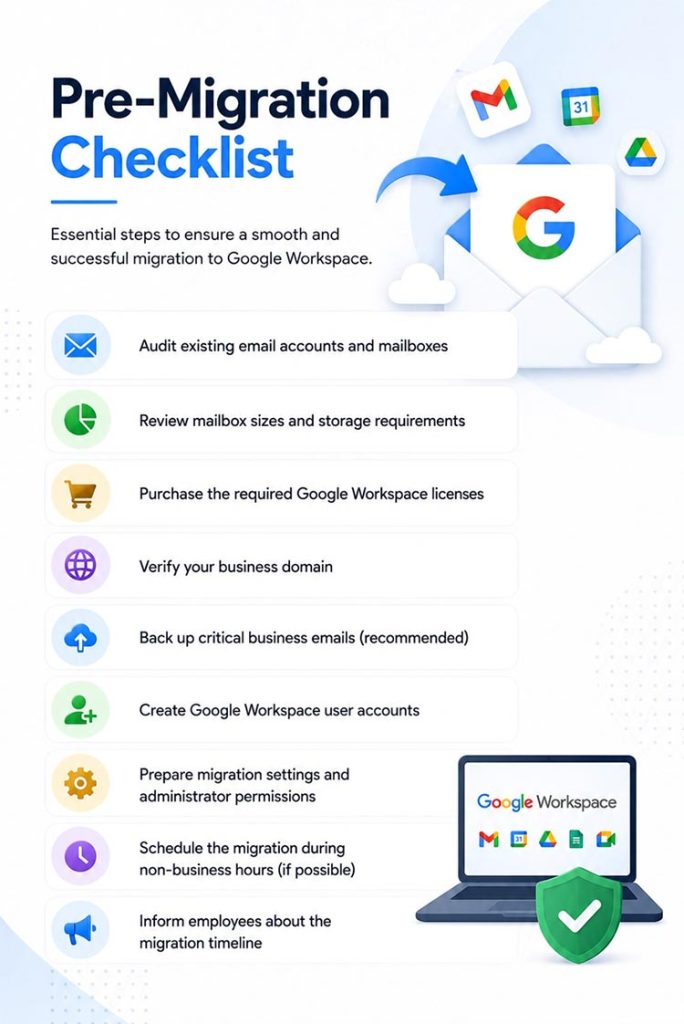
Pre-Migration Checklist
Before migrating from cPanel Webmail to Google Workspace, make sure the following essentials are in place. Proper preparation helps reduce downtime, prevents common migration issues, and ensures a smoother transition.
cPanel Webmail vs Google Workspace
Feature | cPanel Webmail | Google Workspace |
Email Storage | Limited by hosting plan | Flexible cloud storage |
Security | Basic spam filtering | Advanced security & phishing protection |
Access | Browser or email client | Gmail on any device |
Collaboration | Email only | Gmail, Meet, Docs, Drive & Calendar |
Reliability | Depends on hosting server | Google’s global cloud infrastructure |
Team Management | Basic | Centralized admin console |
Backup | Manual or hosting dependent | Cloud-based redundancy |
Can You Migrate Without Losing Emails?
Yes. At XL Technologies, we help businesses migrate from cPanel Webmail to Google Workspace securely, ensuring a smooth transition with minimal downtime and no loss of important business emails.
During the migration, we can securely transfer:
- Existing emails
- Inbox folders
- Sent items
- Drafts
- Email labels
- Contacts
- User accounts
- Shared mailboxes (where applicable)
Our team carefully plans every stage of the migration, verifies that your data has been successfully transferred, and ensures your new Google Workspace environment is fully configured before switching your email services. This approach helps keep your business communication uninterrupted while giving you a seamless transition to Google Workspace.
Common Migration Challenges
While migrating from cPanel Webmail to Google Workspace is a straightforward process, businesses may encounter a few common challenges:
- Risk of Email Loss: Without proper planning, important emails may not be transferred correctly.
- Business Downtime: Poorly managed migrations can temporarily disrupt email communication.
- DNS Configuration Issues: Incorrect MX record updates can affect email delivery.
- Large Mailboxes: Migrating years of email data may take additional time and planning.
- User Adoption: Employees may need guidance to adapt to Gmail and Google Workspace tools.
With the right migration strategy and expert support, these challenges can be effectively managed, ensuring a smooth and secure transition.
What Data Can Be Migrated from cPanel Webmail to Google Workspace?
When migrating from cPanel Webmail to Google Workspace, the focus is on transferring your business email data—not your website hosting. At XL Technologies, we ensure that all essential email information is securely migrated so your team can continue working without interruption.
The migration typically includes:
- Emails (Inbox, Sent, Drafts, Trash, and other folders)
- Folder structure to preserve your mailbox organization
- Email attachments
- Contacts and address books
- User mailboxes and email accounts
- Shared mailboxes (where applicable)
Not sure what will be migrated?
Every email environment is different. Contact XL Technologies for a free migration assessment, and our experts will explain exactly what will be migrated and what may require additional configuration.
Why Choose XL Technologies for cPanel Webmail to Google Workspace Migration?
Migrating business email requires careful planning and technical expertise.As a Google Workspace Partner in Dubai, XL Technologies helps businesses migrate with confidence while minimizing disruption.
Our Migration Services in Dubai Include
- Free Google Workspace setup & configuration
- Zero-downtime migration planning
- Secure migration of existing emails
- Professional domain configuration
- UAE-based technical support
- User onboarding and training
- Post-migration assistance
Whether you have a few email accounts or hundreds of users, our team helps ensure a smooth transition to Google Workspace.
Conclusion
Migrating from cPanel Webmail to Google Workspace is a strategic upgrade that improves business communication, security, and collaboration. With proper planning and a structured migration process, businesses can securely transfer email data while minimizing downtime and preserving important information. A successful migration ensures a smooth transition to a modern, cloud-based email platform built to support long-term business growth.
Frequently Asked Questions
1. Can I migrate from cPanel Webmail to Google Workspace without losing emails?
Yes. With a properly managed migration, your existing emails, folders, contacts, and business email addresses can be securely transferred while minimizing downtime.
2. How long does email migration take?
The migration time depends on factors such as the number of users, mailbox sizes, and the amount of historical email data. Small businesses may complete the process quickly, while larger organizations require additional planning.
3. Will my email address change after migrating?
No. You can continue using your existing business email address (for example, [email protected]) while benefiting from Google Workspace.
4. Can employees continue working during the migration?
In most cases, yes. A well-planned migration minimizes disruption so users can continue accessing email with little or no interruption.
5. Is Google Workspace more secure than cPanel Webmail?
Google Workspace includes enterprise-grade security features such as advanced spam filtering, phishing protection, two-factor authentication, endpoint management, and Google’s secure cloud infrastructure, making it a strong choice for businesses.