
Is Your UAE Business Ready to Move from cPanel Email to Google Workspace?
By Divya – Support Engineer and Google Cloud Certified Digital Leader with 2+ years of experience in Google Workspace administration at XL Technologies. Her expertise includes user account creation, permission management, email configuration, security, and ticket handling. With proven skills, she ensures smooth, secure, and efficient Workspace operations for clients. At XL Technologies, Divya plays a key role in driving digital transformation through Google Cloud solutions. She is passionate about helping businesses maximize productivity and collaboration with Google Workspace.
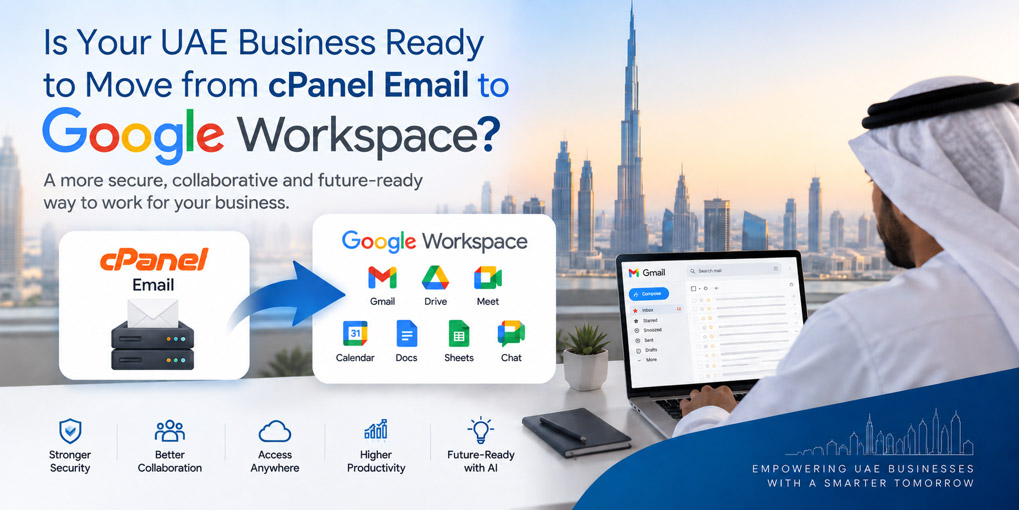
- UAE Businesses Are Moving Towards a More Digital Workplace
- What Is cPanel Email?
- 7 Signs Your UAE Business Has Outgrown cPanel Email
- Can You Migrate from cPanel Email to Google Workspace?
- What Happens to Your Existing Business Email Address?
- What Data Can Be Migrated from cPanel?
- How Does a cPanel-to-Google Workspace Migration Work?
- Can You Migrate Without Business Disruption?
- Why Choose a Google Workspace Partner in the UAE?
- Why Move from cPanel Email to Google Workspace?
- Is Your UAE Business Ready to Move?
- The UAE Is Ready for Cloud-Based Business Productivity. Is Your Business?
- Conclusion
For many UAE businesses, cPanel email provides a simple way to manage professional email through their website hosting. However, as businesses grow, they may need more than basic email hosting. Better collaboration, cloud storage, security, administration, mobility and AI-powered productivity can make Google Workspace a more suitable solution. Moving from cPanel email to Google Workspace allows businesses to keep their professional domain while gaining access to Gmail and a complete suite of cloud-based business tools.
In this guide, we explain the key signs that your UAE business may have outgrown cPanel email and the benefits of moving to Google Workspace. We will cover the migration process, existing email and domain considerations, security and DNS configuration, potential business disruption, data migration, Workspace plans, and the value of working with an experienced UAE Google Workspace partner such as XL Technologies.
UAE Businesses Are Moving Towards a More Digital Workplace
The UAE’s digital transformation is continuing at significant scale. In 2025, federal government entities completed more than 308 million digital transactions, recorded 88.5 million visits to government websites, and processed activity across 1,633 digital services. The UAE also recorded 471 digital transformation projects, while the country’s global position remained strong in areas including telecommunications infrastructure, digital skills and AI adoption.
The country’s digital infrastructure is equally advanced. According to the Telecommunications and Digital Government Regulatory Authority (TDRA), the UAE maintained its position as the world’s leading country for household fibre-optic network penetration for the tenth consecutive year, reaching 99.7%.
For UAE businesses, this digital environment makes cloud-based productivity increasingly relevant. Email is no longer just a mailbox. Businesses need communication, file sharing, meetings, collaboration, administration, and security to work together.
That is why moving from cPanel email to Google Workspace can be an important step in modernising a company’s digital workplace.
What Is cPanel Email?
cPanel is a popular web-hosting control panel used to manage websites, domains, databases, and email accounts.
A business may use cPanel to create mailboxes such as:
For a small business with straightforward email requirements, this setup may work perfectly well.
The challenge appears when the business starts needing more than basic email hosting.
Employees may need to:
- Find years of email quickly
- Access business information from multiple devices
- Collaborate on documents
- Share files securely
- Schedule meetings
- Conduct video calls
- Manage users centrally
- Protect accounts against phishing
- Introduce AI into everyday workflows
- Scale email and productivity tools as the company grows
At that stage, Google Workspace can offer a broader solution.
7 Signs Your UAE Business Has Outgrown cPanel Email
1. Your Employees Spend Too Much Time Searching for Emails
As a business grows, inboxes can accumulate thousands of messages.
If employees regularly struggle to locate customer conversations, quotations, contracts or previous discussions, email search becomes a productivity issue.
Gmail is designed around powerful search capabilities, making it easier to find specific messages and information across a business mailbox.
For companies dealing with customers, suppliers and partners across the UAE and internationally, efficient email search can save significant time.
2. Your Employees Work from Different Locations
UAE businesses increasingly operate across offices, client locations, remote environments and multiple emirates.
If employees need dependable access to business email, files and calendars from different devices, a cloud-based productivity environment can provide greater flexibility.
Google Workspace allows organisations to bring email, documents, calendars and meetings into a centrally managed cloud environment.
3. Your Team Keeps Sending Files as Email Attachments
Consider a common scenario.
An employee sends:
Proposal-v1.docx
Someone edits it and sends:
Proposal-v2.docx
Another employee creates:
Proposal-Final.docx
Then someone sends:
Proposal-Final-Updated.docx
This approach can quickly become difficult to manage.
Google Drive and Google Workspace collaboration tools allow teams to work on shared documents and files instead of constantly exchanging multiple attachments.
4. Email Security Has Become a Business Priority
Business email accounts can contain sensitive customer information, financial details, contracts and internal communications.
Email security therefore needs to be treated as part of your wider business security strategy.
Google Workspace supports administrative and security controls designed to help organisations protect user accounts and business information.
Domain authentication is also important. Technologies such as SPF, DKIM and DMARC can help organisations authenticate legitimate email and reduce the risk of unauthorised use of their domain.
For UAE organisations handling personal information, data protection and confidentiality are also important considerations. The UAE’s Personal Data Protection Law establishes a framework for protecting personal data and sets obligations around its processing and security.
5. Your Company Is Growing
Managing five or ten mailboxes is very different from managing dozens or hundreds.
As employees join and leave, administrators need to manage:
- User accounts
- Access permissions
- Security settings
- Groups and aliases
- Devices
- Business applications
- Data access
Google Workspace provides an Admin Console that gives administrators centralised management capabilities.
This can make the transition from a basic hosting environment to a structured business productivity platform particularly valuable as your organisation scales.
6. Your Business Needs More Than Email
A modern business does not operate through email alone.
Employees may need:
Gmail for business communication
Drive for cloud storage and file sharing
Docs for document collaboration
Sheets for spreadsheets
Calendar for scheduling
Meet for video meetings
Chat for team communication
Instead of maintaining separate systems for every activity, Google Workspace brings these capabilities into one ecosystem.
7. You Want to Use AI in Everyday Work
AI is becoming increasingly relevant to business productivity.
Google Workspace includes Gemini-powered capabilities across supported plans and services, giving eligible users access to AI-assisted features within Google’s productivity ecosystem.
For UAE businesses exploring AI adoption, moving to a modern cloud productivity platform can provide a stronger foundation for incorporating AI into everyday tasks such as drafting, summarising, analysing information and improving workflows.
Can You Migrate from cPanel Email to Google Workspace?
Yes.
Most cPanel email environments use standard email protocols such as IMAP, making email migration to Google Workspace possible when the source server meets Google’s migration requirements.
Google’s current Workspace documentation supports migration from IMAP-based email servers. Its migration tools can connect to the source IMAP server and copy email data into the corresponding Google Workspace mailboxes.
Google also provides migration options for organisations moving from other environments, including Microsoft Exchange Online and other supported platforms.
However, a successful migration requires more than simply copying emails.
The domain, DNS, user accounts, email routing, authentication, historical mail and post-migration configuration all need to be considered.
What Happens to Your Existing Business Email Address?
One of the biggest concerns businesses have is whether migration means changing their email address.
In most cases, you can keep the same business email address.
For example, if your current address is:
you can continue using:
after moving to Google Workspace.
Google’s migration documentation confirms that organisations can copy existing domain-based email into Gmail while retaining their existing domain-based addresses.
The major change is behind the scenes: your domain’s email delivery is configured to use Google Workspace rather than the previous cPanel mail server.
What Data Can Be Migrated from cPanel?
The exact data that can be migrated depends on your existing setup and the migration method used.
For an IMAP-based migration, Google Documents supports email migration from supported IMAP servers.
This can include historical business email and folder/label information supported by the migration process.
It is important to understand that an IMAP email migration is primarily an email migration. Other information—such as calendars, contacts or files—may require separate migration methods depending on where that data currently resides. Google’s documentation specifically notes that IMAP migrations are limited compared with migrations from platforms such as Exchange.
This is why businesses should assess their entire environment before beginning a migration.
How Does a cPanel-to-Google Workspace Migration Work?
A professionally managed migration can be divided into several stages.
Step 1: Assessment and Planning
First, your current email environment should be reviewed.
This can include:
- Number of mailboxes
- Domain configuration
- Mailbox sizes
- IMAP server details
- Aliases
- Forwarders
- Email history
- Existing DNS records
- Security configuration
- User requirements
The objective is to understand what needs to move before making changes.
Step 2: Google Workspace Setup
The Google Workspace environment is created and configured.
This can include:
- Domain verification
- User creation
- Organisational structure
- Groups
- Admin permissions
- Security policies
- 2-Step Verification
- Device and access settings
Step 3: Email Migration
The migration process connects to the existing IMAP-based email environment and copies the relevant email data into Google Workspace.
Google’s current migration tools allow administrators to specify the source IMAP server and map source accounts to Google Workspace accounts.
Step 4: DNS and Email Configuration
The business domain then needs to be configured for Google Workspace email delivery.
This stage is particularly important because incorrect DNS or authentication configuration can affect email delivery.
SPF, DKIM and DMARC should be reviewed as part of the email security configuration.
Step 5: Testing and Validation
Before considering the migration complete, businesses should verify:
- Incoming email
- Outgoing email
- Historical messages
- User access
- Mobile access
- Email aliases
- Groups
- Authentication
- Spam protection
- Domain configuration
Google also provides migration reports and user reports that can help administrators review imported email data.
Step 6: User Onboarding and Support
The final step is helping employees transition to Gmail and the broader Workspace environment.
This may include training employees on:
- Gmail
- Google Drive
- Calendar
- Meet
- Google Chat
- File sharing
- Security practices
- Mobile access
The goal is not simply to complete the migration. It is to ensure employees actually benefit from the new platform.
Can You Migrate Without Business Disruption?
A well-planned migration can significantly reduce disruption.
However, it is important not to promise that every migration is automatically “100% zero downtime.” The experience depends on the existing mail server, DNS configuration, mailbox size, authentication, and migration strategy.
The safer approach is to plan the migration in stages, transfer historical data where appropriate, validate the environment, and carefully coordinate the final mail-routing change.
Google’s migration tools copy data from supported IMAP sources into Workspace rather than simply deleting the source data.
This provides an important opportunity to validate the new environment before fully retiring the old email system.
Why Choose a Google Workspace Partner in the UAE?
A cPanel-to-Google Workspace migration involves more than purchasing licences.
Businesses may need assistance with:
- Workspace setup
- Domain verification
- Email migration
- DNS configuration
- SPF, DKIM and DMARC
- User creation
- Admin Console configuration
- Security settings
- Data migration planning
- Employee onboarding
- Troubleshooting
- Licensing and billing
XL Technologies provides Google Workspace setup, email and data migration, Admin Console configuration, security hardening, training, monitoring, consulting and licensing support for UAE businesses.
The company also supports businesses migrating from cPanel, Microsoft 365, Zoho, Exchange, and other email environments.
For UAE businesses, working with a local partner can also simplify communication, implementation planning, and ongoing support.
Why Move from cPanel Email to Google Workspace?
The difference can be summarised simply:
| cPanel Email | Google Workspace |
| Primarily email hosting | Complete productivity platform |
| Hosting-focused administration | Centralised Workspace administration |
| Basic mailbox functionality | Gmail plus collaboration tools |
| Limited collaboration | Drive, Docs, Sheets, Meet and Chat |
| Hosting-dependent environment | Cloud productivity ecosystem |
| Separate tools may be required | Integrated business applications |
| Basic scalability | Designed for growing organisations |
| Traditional email workflow | Cloud and AI-enabled productivity |
The right choice ultimately depends on your company’s requirements, existing infrastructure and business priorities.
Is Your UAE Business Ready to Move?
Your business may be ready to move from cPanel email to Google Workspace if:
- Your team is growing.
- Employees need reliable cloud access.
- You want better email search.
- Your business is sending too many file attachments.
- You need centralised user administration.
- Email security is becoming a priority.
- You want integrated meetings and collaboration.
- You want better cloud file management.
- You are exploring AI-powered productivity.
- You want professional support during migration.
If several of these points apply to your organisation, it may be time to evaluate whether basic hosting-based email is still the right solution.
The UAE Is Ready for Cloud-Based Business Productivity. Is Your Business?
The UAE’s latest digital transformation results show a country rapidly expanding its use of digital services, cloud infrastructure and AI. In 2025 alone, federal entities recorded more than 308 million digital transactions and continued expanding digital and AI-enabled services.
At the infrastructure level, the UAE’s 99.7% household fibre-optic penetration further demonstrates the country’s advanced digital connectivity.
For businesses, this creates an opportunity to look beyond basic email hosting.
Moving from cPanel email to Google Workspace can help bring business communication, cloud storage, collaboration, meetings, administration and modern productivity capabilities into one environment.
It is not simply about replacing your email server.
It is about preparing your business for the way modern UAE organisations work.
Conclusion
Moving from cPanel email to Google Workspace can help UAE businesses improve collaboration, security, productivity and cloud accessibility. However, successful migration requires careful planning, configuration and user onboarding to avoid unnecessary disruption and data-related issues.
XL Technologies simplifies this transition with UAE-based Google Workspace expertise, covering setup, email and data migration, Admin Console configuration, security hardening, training, licensing, and ongoing support. Businesses can rely on one experienced partner to manage the migration and build a more efficient, secure digital workplace.
Frequently Asked Questions
Can I migrate my cPanel email to Google Workspace?
Yes. If your cPanel email environment uses a supported IMAP configuration, Google Workspace provides migration tools for importing email from IMAP servers.
Will my existing email address change?
Not necessarily. You can generally continue using your existing domain-based business email address after moving the mailbox to Google Workspace.
Can I migrate old emails from cPanel?
Can I migrate old emails from cPanel?
Will my existing cPanel email be deleted during migration?
Google’s IMAP import process copies email data into Workspace and does not delete or modify the source IMAP account during the import process.
However, businesses should not cancel their old hosting or email service until the migration, DNS changes and validation have been completed successfully.
Can I migrate without disrupting my employees?
A properly planned migration can minimise disruption, but the exact level of disruption depends on your existing infrastructure and migration approach. A migration specialist can plan the cutover around your business requirements.
Can XL Technologies migrate from cPanel to Google Workspace?
Yes. XL Technologies provides Google Workspace setup and email/data migration services and states that it supports migrations from cPanel and other email platforms.
Which Google Workspace plan should my UAE business choose?
The right plan depends on your number of users, storage requirements, security needs, collaboration requirements and desired Workspace capabilities. XL Technologies can assess your requirements and help identify a suitable plan.
Do I need to change my website hosting when moving email?
No. Migrating your business email to Google Workspace does not inherently require you to move your website hosting. Email and website hosting can be managed through different services, provided the relevant domain and DNS configuration is maintained correctly.