
What Happens to Old Emails When You Move to Google Workspace?
By Divya – Support Engineer and Google Cloud Certified Digital Leader with 2+ years of experience in Google Workspace administration at XL Technologies. Her expertise includes user account creation, permission management, email configuration, security, and ticket handling. With proven skills, she ensures smooth, secure, and efficient Workspace operations for clients. At XL Technologies, Divya plays a key role in driving digital transformation through Google Cloud solutions. She is passionate about helping businesses maximize productivity and collaboration with Google Workspace.
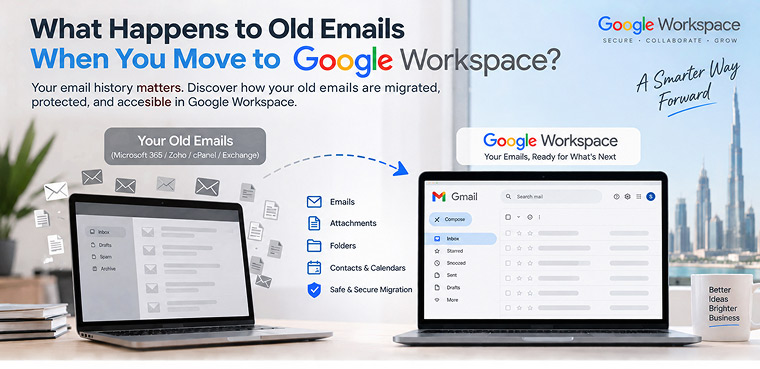
- Do You Lose Your Old Emails When Moving to Google Workspace?
- What Happens to Your Old Mailbox?
- Can You Move Years of Old Emails to Google Workspace?
- What Happens to Email Folders?
- Can You Keep Your Existing Business Email Address?
- Will Employees Stop Receiving Emails During Migration?
- What About Emails Received During the Migration?
- What Happens to Attachments?
- What About Data Security During Migration?
- What Happens to the Old Email System After Migration?
- How XL Technologies Helps UAE Businesses Move Old Emails to Google Workspace
- Conclusion
Moving your business email to Google Workspace can improve collaboration, security, search, and productivity—but one question often makes UAE businesses hesitate: What happens to all our old emails? If your company has years of customer conversations, invoices, attachments, contracts, internal discussions, and important records stored in Microsoft 365, Zoho, cPanel, Exchange, or another email platform, you may worry that migrating to Google Workspace means starting with an empty Gmail inbox.
The good news is that it doesn’t. With a properly planned Google Workspace email migration, your existing business email can be copied into your new Gmail environment while your company continues operating. Google provides migration tools for Microsoft systems, Gmail, and IMAP-based email providers, while an experienced Google Workspace partner can handle planning, configuration, migration, testing, and post-migration support.
This guide explains what happens to your old emails, what gets migrated, whether emails are deleted from your old system, how downtime is minimized, and what UAE businesses should consider before making the switch.
Do You Lose Your Old Emails When Moving to Google Workspace?
No, you don’t have to lose your old emails.
Google Workspace migration is designed to copy existing email data from your current system into Gmail. Google says its migration solutions can bring individual and team emails into Google Workspace, allowing businesses to keep their communication history in one place.
Depending on your existing platform, migration may include:
- Historical emails
- Email folders or labels
- Attachments
- Archived messages
- Selected date ranges
- Contacts and calendars, where supported by the migration method
For example, a UAE company moving from Microsoft 365 to Google Workspace can plan the migration so employees eventually access their historical correspondence directly from their new Gmail accounts.
What Happens to Your Old Mailbox?
The most important thing to understand is that migration generally copies data rather than simply deleting your old mailbox.
During the migration stage, your existing email environment can remain available while data is transferred. Google describes its business migration tools as copying data from existing systems, with minimal disruption to operations.
This means your migration can follow a controlled sequence:
Old email system → Data copied → Google Workspace Gmail → Validation → DNS/MX cutover → New Gmail becomes the primary system
After the migration has been validated and the business has switched its mail routing to Google Workspace, the old email platform can eventually be retired according to your organization’s retention, backup, contractual, and compliance requirements.
Do not cancel your previous email service immediately simply because the migration has started. A professional migration plan should include verification before the old environment is decommissioned.
Can You Move Years of Old Emails to Google Workspace?
Yes. Google supports migration of historical email, including archived email that remains accessible through the original provider.
Google’s Gmail migration guidance specifically notes that archived emails can be migrated through IMAP when they remain accessible from the original email provider. Migration settings can also be configured to transfer specific date ranges or selected folders/labels.
This is particularly useful for UAE businesses that need to retain years of:
- Customer correspondence
- Sales communications
- Supplier discussions
- Financial emails
- HR communications
- Project records
- Contracts and attachments
Instead of forcing employees to search two different systems, historical communication can be consolidated into their Google Workspace environment.
What Happens to Email Folders?
Your old email structure does not necessarily have to disappear.
The exact result depends on the source platform and migration method. For IMAP migrations, Google provides tools to import email data and map source accounts to Workspace accounts.
Some systems use folders while Gmail uses labels, so the appearance of migrated mail may not be identical to the old interface.
This is why pre-migration testing is important. A migration specialist should identify how folders, labels, archives, spam, trash, attachments, and other mailbox elements will appear in Google Workspace before the full migration begins.
Can You Keep Your Existing Business Email Address?
Yes.
Moving to Google Workspace does not require a business to abandon its existing domain-based email address.
For example, if your current address is:
you can continue using that business address with Google Workspace rather than changing it to a new Gmail address.
Once Google Workspace is configured and the domain’s DNS/MX records are updated, incoming email can be routed to Gmail.
Google’s migration guidance confirms that businesses can copy email while keeping an existing domain-based address.
For a UAE business, this means customers can continue emailing the same company addresses while the technology behind the mailbox changes.
Will Employees Stop Receiving Emails During Migration?
A properly planned migration can be performed with minimal disruption, and migration processes can be structured so users continue working while data is transferred.
However, it is important to distinguish between data migration and the final mail-routing cutover. The migration itself can run while the existing system remains active, while the final DNS/MX change determines where new incoming messages are delivered.
A professional migration plan should therefore include:
- Assessment and planning
- Google Workspace account setup
- Domain and DNS preparation
- Historical email migration
- Testing and validation
- DNS/MX cutover
- Post-migration monitoring
XL Technologies positions its Google Workspace services around secure migration, validation, zero-downtime planning, and UAE-based support for businesses moving from platforms such as Microsoft 365, cPanel, Zoho, and other email systems.
What About Emails Received During the Migration?
This is one of the most important parts of migration planning.
Businesses should not assume that simply pressing a “migrate” button completes everything. New emails may continue arriving while historical data is being copied.
Google’s migration technology supports migration approaches that can bring over newly generated or modified messages without unnecessarily duplicating previously migrated content in supported scenarios. Google announced this capability as part of its modern data migration experience.
A migration specialist can therefore plan the process around your organization’s mail flow and cutover requirements.
The objective is simple: avoid gaps in communication and make sure important messages are accounted for before the old system is retired.
What Happens to Attachments?
Attachments are an important part of business email migration because many companies rely on emails as records of quotations, purchase orders, invoices, contracts, presentations, and other documents.
Where supported by the migration method, email data can be transferred along with associated messages and attachments. However, businesses should validate the migration rather than assuming every mailbox element will behave identically across platforms.
Google’s migration documentation also makes an important distinction: some migration tools focus specifically on email and label data, while other migration products support broader workloads such as calendars, contacts, files, folders, and permissions.
That distinction matters when planning a complete Google Workspace deployment.
What About Data Security During Migration?
Email migration involves sensitive business information, so security should be treated as a core project requirement—not an afterthought.
This is particularly relevant for UAE organizations handling customer, employee, financial, or other personal information.
The UAE’s official government portal explains that Federal Decree-Law No. 45 of 2021 provides a framework for protecting personal data and establishes obligations around securing and maintaining the confidentiality and privacy of personal data.
Businesses should therefore consider:
- Who has administrative access?
- How are migration credentials protected?
- Which data is being transferred?
- Where is business data being processed?
- What retention requirements apply?
- How will the migration be validated?
- When can the legacy system safely be decommissioned?
The UAE government’s cyber-law resources also identify federal legislation concerning cybersecurity and personal data protection.
For organizations with specific regulatory or contractual obligations, legal and compliance teams should confirm the requirements applicable to their industry and jurisdiction.
What Happens to the Old Email System After Migration?
After the new Google Workspace environment has been tested and mail routing has been successfully switched, the old platform may no longer be required for everyday email.
But do not immediately delete the old mailbox data.
A sensible post-migration process is:
Migration → Validation → Cutover → Monitoring → Retention decision → Legacy system retirement
Your company should determine whether old mailboxes need to remain accessible for a defined period because of internal policies, contracts, audits, legal requirements, or other retention considerations.
This is also an opportunity to clean up obsolete accounts and improve your organization’s email administration.
How XL Technologies Helps UAE Businesses Move Old Emails to Google Workspace
Choosing the right migration partner can make the transition considerably easier.
XL Technologies provides Google Workspace setup, migration, licensing, security configuration, training, and ongoing support for businesses across the UAE. Its service offering includes migration from Microsoft 365, cPanel, Zoho Mail, and other email platforms, along with Admin Console configuration and security hardening.
The migration process can be structured around:
1. Assessment & Planning
Review your current mailboxes, domains, users, storage, and migration requirements.
2. Workspace Configuration
Create users, verify the domain, configure Gmail, and prepare administrative and security settings.
3. Email & Data Migration
Copy historical email and supported mailbox data into Google Workspace.
4. Testing & Validation
Check users, messages, folders/labels, attachments, and mail flow.
5. DNS/MX Cutover
Route new business email to Google Workspace.
6. Go-Live Support
Help employees adapt to Gmail and resolve issues after the transition.
This approach aligns with XL Technologies’ broader Google Workspace offering, which combines setup, migration, security, training, monitoring, and local UAE support.
Conclusion
Moving to Google Workspace does not mean losing your valuable email history. With proper planning, businesses can migrate old emails, attachments, and supported mailbox data while maintaining their existing business email addresses. A structured migration helps minimize disruption, protect important information, and ensure a smooth transition to Gmail and other Google Workspace tools.
For UAE businesses, partnering with an experienced Google Workspace provider can make migration simpler and more secure. XL Technologies provides setup, migration, security, training, and local support to help businesses transition confidently and get the most from Google Workspace.
Frequently Asked Questions
Will my old emails disappear when I move to Google Workspace?
No. Existing email can be migrated into Google Workspace using the appropriate migration method. The old environment should not be deleted until migration and validation are complete.
Can I migrate emails from Microsoft 365 to Google Workspace?
Yes. Google provides migration options for Microsoft environments as well as IMAP-based email systems and other supported sources.
Can I migrate old emails from Zoho or cPanel?
Yes, where the source system supports an appropriate migration method such as IMAP. Google documents IMAP migration for providers including Zoho and other compatible email services.
Can I keep my existing @company.ae email address?
Yes. Your existing domain-based business email address can be configured for Google Workspace.
Will migration cause email downtime?
A carefully planned migration can minimize disruption and allow users to continue working while historical data is copied. The final DNS/MX cutover should be planned and monitored carefully.
Should I delete my old email system immediately after migration?
No. First validate the migrated data, confirm mail flow, address retention requirements, and make sure your business no longer needs the legacy environment.