
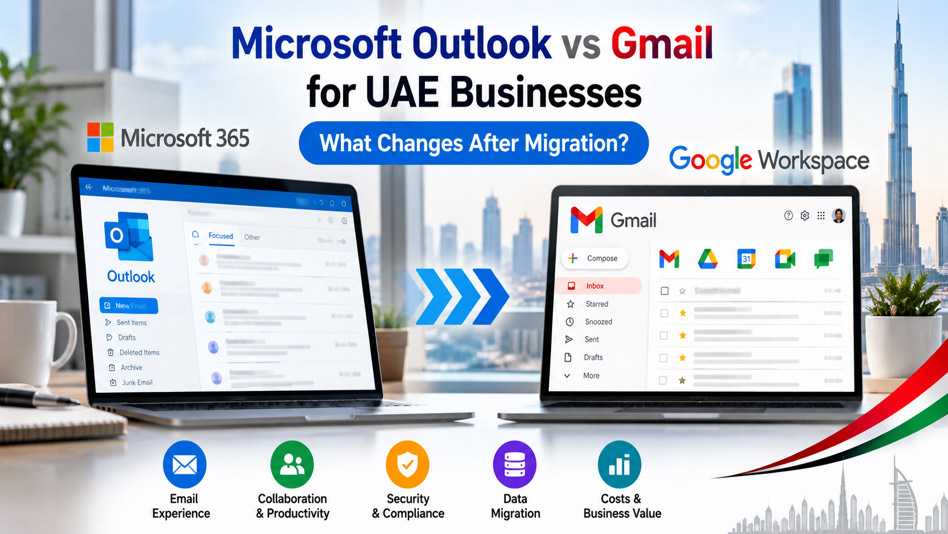
Microsoft Outlook vs Gmail for UAE Businesses: What Changes After Migration?
By Divya – Support Engineer and Google Cloud Certified Digital Leader with 2+ years of experience in Google Workspace administration at XL Technologies. Her expertise includes user account creation, permission management, email configuration, security, and ticket handling. With proven skills, she ensures smooth, secure, and efficient Workspace operations for clients. At XL Technologies, Divya plays a key role in driving digital transformation through Google Cloud solutions. She is passionate about helping businesses maximize productivity and collaboration with Google Workspace.
- Microsoft Outlook vs Gmail: What Is the Main Difference?
- Email Organization: Outlook Folders vs Gmail Labels
- Email Search: Finding Important Messages
- Calendar Management: Outlook Calendar vs Google Calendar
- Email Rules and Automation: Outlook Rules vs Gmail Filters
- Attachments and File Collaboration: Outlook vs Google Drive
- Can Employees Continue Using Microsoft Outlook After Migration?
- Shared Mailboxes: A Key Difference for Business Teams
- Employee Productivity: What Changes After Switching to Gmail?
- What Should UAE Businesses Check Before Migrating from Outlook to Gmail?
- How XL Technologies Can Help with Microsoft 365 to Google Workspace Migration
Microsoft Outlook is a familiar email platform for many businesses in the UAE. Employees use it to manage emails, calendars, contacts, meetings and daily communication. However, companies considering Google Workspace often wonder whether Gmail can support their existing business workflows.
Moving from Microsoft 365 to Google Workspace changes more than the email application. It can affect how employees organize messages, manage meetings, collaborate on documents and access company information. Understanding these differences before migration helps businesses prepare their teams and avoid unnecessary disruption.
Microsoft Outlook vs Gmail: What Is the Main Difference?
Microsoft Outlook and Gmail both support business email, but they approach email organization and collaboration differently.
Outlook is closely integrated with Microsoft 365 applications such as Word, Excel, PowerPoint, Teams and OneDrive. Many organizations use Outlook as their main interface for managing email, calendars and meetings.
Gmail is part of Google Workspace and works closely with Google Calendar, Drive, Docs, Sheets, Slides and Meet. It supports browser-based workflows, search-driven email management and real-time collaboration.
The main difference is not simply which email application is better. It is how each platform fits into your company’s existing working habits.
For example, a company that relies on desktop Outlook, Excel macros and complex meeting workflows may need additional planning before switching. A business that prioritizes browser-based collaboration and shared documents may find Gmail and Google Workspace a suitable alternative.
Security and compliance assessment
- Review administrator controls and account security.
- Assess data-location and cross-border transfer requirements.
- Confirm retention, legal hold and eDiscovery requirements.
- Validate any industry-specific obligations before selecting a migration approach.
These checks help businesses identify compatibility issues early, estimate the actual cost and choose the right migration strategy.
Email Organization: Outlook Folders vs Gmail Labels
One of the first changes employees notice after migrating from Outlook to Gmail is how email is organized.
How Outlook organizes email
Outlook allows users to create folders and move messages into them. Employees may maintain folders such as:
- Customer enquiries
- Supplier communications
- Invoices
- Internal projects
- Sales follow-ups
This approach works well for people who prefer a structured folder hierarchy.
How Gmail organizes email
Gmail uses labels to categorize messages. Labels look similar to folders, but a single email can have multiple labels without requiring separate copies of the message.
For example, an email from a customer about an outstanding invoice could have both the labels “Customer” and “Payment Follow-up.”
Gmail also provides filters that automatically apply labels, archive messages or perform other supported actions based on defined conditions.
What changes after migration?
Employees who are accustomed to moving every message into a particular Outlook folder may need time to understand Gmail’s label-based approach.
A good migration plan should explain how existing folders map to Gmail labels, how filters work and how employees can find historical messages.
Google’s migration documentation explains that Outlook folders may be mapped to Gmail labels. Some message counts and unread-message counts can also differ because the two platforms organize conversations and duplicate messages differently.
Recommendation: Create a simple email organization guide for employees before the migration. Demonstrate labels, filters, stars, search and archiving using realistic business examples.
Email Search: Finding Important Messages
Searching for old emails is a daily requirement for sales teams, finance departments, customer support teams and business owners.
Outlook provides search capabilities for finding messages by sender, subject, date and other criteria. Gmail also supports search operators that can narrow results using combinations of these details.
For example, Gmail users can search for:
- Emails from a particular customer.
- Messages containing an invoice attachment.
- Unread messages received within a specific date range.
- Emails with a particular subject or label.
Search operators can make it easier to locate messages without opening multiple folders.
What changes after migration?
Employees may need to learn Gmail’s search syntax and understand that messages can be located through labels, conversations and the All Mail view.
Instead of relying entirely on a fixed folder hierarchy, users can combine search terms to locate information quickly.
However, search efficiency depends on how well employees understand the tools and how messages are organized. Businesses should test important historical searches during migration validation.
Calendar Management: Outlook Calendar vs Google Calendar
Calendars are another important part of business email workflows.
Outlook Calendar supports meeting invitations, recurring events, availability checks and scheduling within the Microsoft 365 environment. Google Calendar provides comparable core scheduling capabilities and integrates with Gmail, Google Meet and other Workspace applications.
What changes after migration?
Employees need to become familiar with the Google Calendar interface, event settings, meeting invitations and sharing permissions.
They should also check:
- Recurring meetings and their time zones.
- Meeting attendees and calendar invitations.
- Shared calendars and delegated access.
- Meeting room and resource calendars.
- External meeting links and conferencing arrangements.
For UAE businesses working with customers and colleagues in different countries, time-zone accuracy is particularly important.
Do not assume every calendar setting or permission will transfer exactly as it worked in Outlook. Review migrated calendars and test important meetings before completing the transition.
Email Rules and Automation: Outlook Rules vs Gmail Filters
Outlook users often rely on rules to organize incoming emails automatically.
For example, a finance employee might use a rule to move supplier invoices into a dedicated folder. A sales representative might automatically categorize messages from particular customers.
Gmail offers filters that can apply labels, archive messages, mark messages as read and perform other supported actions.
Example: Organizing customer enquiries
Suppose a UAE IT company receives regular service enquiries through email.
In Gmail, the business could create a filter for specific senders, subjects or other matching criteria. The filter could apply a “Sales Enquiry” label so that employees can find relevant messages more easily.
What changes after migration?
Outlook rules should be reviewed rather than assumed to work identically in Gmail. The two platforms have different features and conditions, so some rules may need to be recreated or redesigned.
During migration planning, identify rules that affect important business operations, including customer notifications, invoice processing and internal routing.
Test each critical rule using sample messages before relying on it in production.
Attachments and File Collaboration: Outlook vs Google Drive
Microsoft 365 users frequently share documents through email attachments, OneDrive and SharePoint.
Google Workspace offers a different collaboration model built around Google Drive and applications such as Docs, Sheets and Slides.
Working with attachments in Gmail
Gmail supports sending and receiving attachments. Users can also share Google Drive files through links and configure access permissions.
When several employees need to work on the same document, Google Docs and Sheets allow them to collaborate on a shared file rather than repeatedly sending revised attachments.
For example, a marketing team can prepare a campaign report in Google Sheets and share it with managers who need access to the latest version.
What changes after migration?
Employees must understand the difference between sending an attachment and sharing a cloud document.
They also need to know how to set access permissions, identify the correct file version and work with shared drives.
Before migrating, businesses should review how their teams use OneDrive and SharePoint. File permissions, document links and folder structures may require additional planning when moving to Google Drive.
Can Employees Continue Using Microsoft Outlook After Migration?
This is a common question among employees who prefer Outlook’s desktop interface.
Google Workspace supports Google Workspace Sync for Microsoft Outlook (GWSMO), which allows eligible users to access synchronized Google Workspace information through Outlook when the administrator has configured the environment appropriately.
However, using Outlook with Google Workspace is not the same as maintaining a native Microsoft Exchange and Outlook environment.
Some features work differently, and synchronization or compatibility requirements should be tested before choosing this approach.
For example, users who rely heavily on advanced Outlook workflows should verify their required features, calendar behaviour, shared mailbox needs and offline access before migration.
Recommendation: Do not promise that Outlook will work exactly as it did before. Assess whether Gmail’s browser-based interface meets the company’s needs or whether a supported Outlook integration is appropriate for selected users.
Shared Mailboxes: A Key Difference for Business Teams
Many businesses use shared addresses such as:
In Microsoft 365, Exchange shared mailboxes support team access and shared communication workflows.
Google Workspace provides alternatives, including Gmail delegation and Google Groups Collaborative Inbox. However, these options have different capabilities and workflows, so they are not always direct replacements for an Exchange shared mailbox.
For example, a customer support team may need to assign messages to individual employees, track ownership and prevent multiple employees from responding to the same enquiry.
Before migrating, identify the features required by each team and determine whether a native Google Workspace option or a dedicated shared inbox application is appropriate.
Include any additional software and subscription costs in the migration budget.
Employee Productivity: What Changes After Switching to Gmail?
A change in email platform can temporarily affect productivity, particularly when employees have used Outlook for many years.
Some users may adapt quickly to Gmail’s search, labels and browser-based collaboration. Others may need training to understand new workflows.
The transition can be particularly important for:
- Finance teams working with Excel and complex attachments.
- Executives who manage large volumes of email.
- Sales teams that depend on shared inboxes and follow-ups.
- HR teams managing confidential documents.
- Employees who work with Arabic and English business documents.
How to reduce disruption
Businesses should provide practical training before the migration and make support available after launch.
A useful training session should cover Gmail navigation, labels, filters, search, archiving, signatures, calendar management, Drive sharing and email security.
Start with a pilot group, collect feedback and update training materials before moving the remaining employees.
Measure the transition through helpdesk requests, user feedback and the time required to complete common email tasks.
What Should UAE Businesses Check Before Migrating from Outlook to Gmail?
A successful migration requires more than copying email messages.
Before choosing Google Workspace, assess your existing Microsoft 365 environment and identify the workflows that matter most.
Email and mailbox assessment
- Review mailbox sizes and historical email requirements.
- Identify important folders, rules and signatures.
- Check archives, shared mailboxes and delegated access.
- Identify applications connected to Outlook.
Calendar and contact assessment
- Review recurring meetings and shared calendars.
- Identify resource calendars and meeting room requirements.
- Check contacts and distribution lists.
- Test external meeting invitations.
Document and collaboration assessment
- Review OneDrive and SharePoint dependencies.
- Identify documents with complex formatting or internal links.
- Check Excel macros and PowerPoint features.
- Determine how files will be shared and permissioned in Google Drive.
Security and compliance assessment
- Review administrator controls and account security.
- Assess data-location and cross-border transfer requirements.
- Confirm retention, legal hold and eDiscovery requirements.
- Validate any industry-specific obligations before selecting a migration approach.
These checks help businesses identify compatibility issues early, estimate the actual cost and choose the right migration strategy.
How XL Technologies Can Help with Microsoft 365 to Google Workspace Migration
Moving from Outlook to Gmail affects employees, business processes and the way company information is managed.
XL Technologies helps UAE businesses assess Google Workspace requirements, plan email and collaboration migrations, configure business accounts and provide ongoing technical support.
Our approach can include:
- Reviewing the current Microsoft 365 environment.
- Assessing mailbox, calendar and document migration requirements.
- Identifying compatibility risks and third-party tool requirements.
- Planning user training and phased migration.
- Testing migrated data and critical business workflows.
- Providing post-migration support.
Every organization has different requirements. We recommend evaluating the existing environment before deciding whether a complete migration, phased transition or hybrid approach is most suitable.
Planning to move from Microsoft 365 to Google Workspace? Contact XL Technologies to discuss your migration requirements and develop a transition plan for your business.
Frequently Asked Questions
1. Is Gmail better than Outlook for business?
Neither platform is automatically better for every business. Gmail may suit organizations that prefer browser-based workflows and real-time collaboration, while Outlook may be more suitable for teams that depend on specific Microsoft 365 integrations and advanced desktop features. The right choice depends on your workflows, compatibility requirements and budget.
2. Can I migrate Outlook emails to Gmail without losing them?
Email migration tools can transfer supported messages and related data, but no migration should be assumed to be perfect without validation. Review migration logs, test historical searches and check attachments, folders, archives and message counts before completing the transition.
3. Will my Outlook folders appear in Gmail?
Outlook folders can be mapped to Gmail labels during supported migration processes. However, the structure and presentation may differ, and certain folder arrangements can require adjustment. Employees should receive guidance on labels and search before the migration.
4. Can I continue using Outlook after moving to Google Workspace?
Google Workspace Sync for Microsoft Outlook supports certain Outlook workflows with a properly configured Google Workspace account. However, it does not guarantee identical behaviour to a native Exchange environment. Confirm compatibility with your required features before relying on it.
5. Will my Outlook calendar and contacts migrate to Google Workspace?
Supported migration tools can transfer calendar events and contacts, but some settings, permissions or specialised data may require separate handling. Test recurring events, attendees, shared calendars and contact records during migration validation.
6. How long does it take to migrate Microsoft 365 to Google Workspace?
The duration depends on the number of users, mailbox sizes, file volumes, migration method, technical dependencies and required testing. A small organization may have a simpler transition than an enterprise with complex SharePoint libraries, shared mailboxes and compliance requirements. A migration assessment is the best way to estimate the timeline.
7. Is Google Workspace suitable for UAE businesses?
Google Workspace can be suitable for many UAE businesses, but suitability depends on the organization’s security, data residency, regulatory, integration and operational requirements. Businesses in regulated sectors should confirm applicable requirements with their compliance and legal teams before migrating.