
Google Workspace Migration Guide for UAE Enterprises
By Divya – Support Engineer and Google Cloud Certified Digital Leader with 2+ years of experience in Google Workspace administration at XL Technologies. Her expertise includes user account creation, permission management, email configuration, security, and ticket handling. With proven skills, she ensures smooth, secure, and efficient Workspace operations for clients. At XL Technologies, Divya plays a key role in driving digital transformation through Google Cloud solutions. She is passionate about helping businesses maximize productivity and collaboration with Google Workspace.
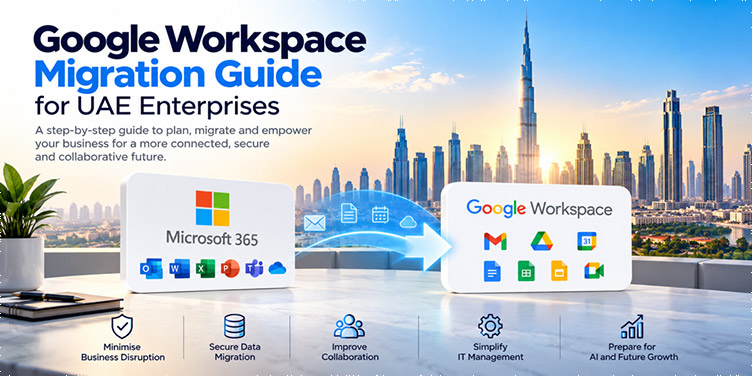
- Why Are UAE Enterprises Moving to Google Workspace?
- What Makes Enterprise Google Workspace Migration Difficult?
- Common Pain Points Before Migration
- Microsoft 365 to Google Workspace Migration: What Needs to Be Moved?
- Step-by-Step Google Workspace Migration Process
- How to Minimise Downtime During Google Workspace Migration
- Google Workspace Migration Security Checklist
- Google Workspace Migration Challenges for UAE Enterprises
- Why Use a Google Workspace Migration Partner?
- Lessons from Large Enterprise Google Workspace Migrations
- How XL Technologies Can Help UAE Businesses
- Ready to Plan Your Google Workspace Migration?
Moving from Microsoft 365 or another business email platform to Google Workspace is a major technology change for an enterprise. It involves more than transferring emails and creating new user accounts. Large UAE businesses need to plan for data migration, security, identity management, email continuity, employee communication, testing, and user adoption.
For enterprises operating across multiple departments, locations, or countries, an unplanned migration can create unnecessary business disruption. A structured migration strategy helps businesses move to Google Workspace while protecting important business data and keeping employees productive.
This guide explains how UAE enterprises can plan and execute a successful Google Workspace migration.
Why Are UAE Enterprises Moving to Google Workspace?
Businesses choose Google Workspace for different reasons. Some want a more collaborative working environment, while others want to simplify their technology stack or prepare their organisation for AI-powered productivity.
Common reasons for considering migration include:
- Difficulty managing a complex productivity environment
- The need for better collaboration between teams and locations
- Increasing email and cloud storage requirements
- The need for stronger security and centralised administration
- Remote and hybrid working requirements
- The desire to use Google’s AI capabilities, including Gemini
- Managing multiple productivity tools across departments
- Improving employee productivity and collaboration
However, deciding to move to Google Workspace is only the first step. The more important question for an enterprise is:
How can we migrate without disrupting our business?
What Makes Enterprise Google Workspace Migration Difficult?
A small business with 20 users may be able to complete a migration relatively quickly. An enterprise with hundreds or thousands of users is very different.
An enterprise migration can involve:
- Hundreds or thousands of user accounts
- Years of business emails
- Large volumes of documents
- Shared drives and folders
- Distribution lists and groups
- Shared mailboxes
- Email aliases
- Mobile devices
- Identity and authentication systems
- Existing security policies
- Third-party applications
- Multiple offices and departments
- Employees working in different locations and time zones
This means migration needs to be treated as a business project rather than simply a technical task.
Common Pain Points Before Migration
Before starting the migration, UAE enterprises should identify the problems they are trying to solve.
1. Business Email and Data Complexity
Over time, businesses accumulate large volumes of emails, attachments, documents and other information.
Without proper planning, moving this information can become complicated.
The migration team needs to understand:
- How much data exists?
- Where is the data stored?
- Which data needs to be migrated?
- Which data can be archived?
- Who owns the data?
- What permissions are required?
2. Fear of Data Loss
Enterprise email contains important business information, including customer communication, contracts, invoices, internal discussions and attachments.
A major concern during migration is:
“What happens if some of our data doesn’t migrate correctly?”
This is why data validation and backup planning should be included in the migration strategy.
3. Risk of Business Disruption
A company cannot simply stop receiving emails for several hours or days while thousands of accounts are migrated.
UAE enterprises need a migration approach that minimises disruption and maintains email continuity.
4. Employee Resistance
Employees are familiar with their existing tools.
Moving from Outlook to Gmail, OneDrive to Drive, Teams to Meet and Office applications to Google Workspace requires users to learn new workflows.
Without proper communication and training, even a technically successful migration can have poor adoption.
5. Security and Identity Challenges
Enterprise migration isn’t only about moving email.
Organisations also need to review:
- Multi-factor authentication
- Single sign-on
- User access
- Admin roles
- Device management
- Data protection
- Email security
- DLP policies
- User provisioning
- Third-party applications
Security should therefore be planned before migration begins.
Microsoft 365 to Google Workspace Migration: What Needs to Be Moved?
When migrating from Microsoft 365, businesses need to assess more than Outlook email.
Depending on the organisation’s requirements, the migration may include:
- Gmail accounts
- Existing emails
- Attachments
- Email folders
- Email aliases
Contacts and Calendars
- User contacts
- Calendars
- Meetings
- Recurring events
Files
- OneDrive files
- SharePoint data
- Shared documents
- Department files
Collaboration
Businesses should also assess how existing Microsoft Teams and other collaboration workflows will be replaced or integrated with Google Workspace tools.
Groups and Access
- Distribution lists
- Google Groups
- Department groups
- Shared resources
- Access permissions
The exact migration scope depends on the customer’s existing Microsoft 365 environment.
Step-by-Step Google Workspace Migration Process
Step 1: Assess the Existing Environment
Before moving anything, create an inventory of the current environment.
Review:
- Number of users
- Mailbox sizes
- Total data volume
- OneDrive and SharePoint usage
- Groups and aliases
- Shared mailboxes
- Security settings
- Identity provider
- Applications connected to Microsoft 365
- Domains and DNS configuration
This assessment identifies potential migration risks before they affect the project.
Step 2: Define the Migration Scope
Not everything necessarily needs to be migrated.
Create a clear migration plan that identifies:
What will be migrated?
What will be archived?
What will be removed?
What needs to be recreated in Google Workspace?
This prevents unnecessary data and configuration from being carried into the new environment.
Step 3: Design the Google Workspace Environment
Before migrating users, configure the new Google Workspace environment.
This can include:
- Organisational units
- User accounts
- Groups
- Admin roles
- Security policies
- MFA
- SSO
- Device policies
- Gmail settings
- Drive policies
- Sharing controls
- Data protection policies
A properly designed environment provides a foundation for secure and scalable operations after migration.
Step 4: Configure the Domain and Email Environment
Email migration requires careful DNS planning.
Important records may include:
- MX
- SPF
- DKIM
- DMARC
- Domain verification records
Email routing should be tested before the final cutover.
A poorly planned DNS change can affect email delivery, so this stage should be carefully coordinated.
Step 5: Run a Pilot Migration
Don’t start by migrating the entire company.
First, select a small group of users from different departments.
For example:
- IT team
- Finance
- HR
- Sales
- Management
Use the pilot to test:
- Email migration
- Contacts
- Calendars
- Files
- Authentication
- Mobile devices
- Email delivery
- User workflows
Any problems discovered during the pilot can be fixed before the wider migration.
Step 6: Plan Coexistence and Email Continuity
For large enterprises, Microsoft 365 and Google Workspace may need to operate together during the transition.
A coexistence strategy can help organisations:
- Maintain business communication
- Move users in phases
- Test the new environment
- Reduce migration risk
- Avoid a large one-time disruption
This is particularly important for organisations operating across multiple offices or countries.
Step 7: Migrate Users in Phases
Instead of moving everyone at once, divide users into migration batches.
For example:
Phase 1: IT and pilot users
Phase 2: One department
Phase 3: Additional departments
Phase 4: Remaining users
Final phase: Exceptions and special accounts
After each phase, validate the migration before continuing.
Step 8: Validate the Migrated Data
After migration, don’t simply assume the data has transferred successfully.
Check:
- Email counts
- Important emails
- Attachments
- Calendars
- Contacts
- Files
- User permissions
- Groups
- Aliases
- Email delivery
Critical users and departments should receive additional validation.
Step 9: Train Employees
User training is an important part of enterprise migration.
Employees should understand how to use:
- Gmail
- Google Drive
- Google Docs
- Google Sheets
- Google Meet
- Google Chat
- Google Calendar
- Google Groups
Training should focus on the differences employees will experience in their daily work.
Step 10: Provide Post-Migration Support
The migration doesn’t end when users are switched to Google Workspace.
Employees may encounter questions about:
- Gmail
- File sharing
- Calendar
- Meetings
- Mobile access
- Permissions
- New workflows
A post-migration support period helps the organisation resolve these issues quickly.
How to Minimise Downtime During Google Workspace Migration
For enterprises, maintaining business continuity should be one of the main migration objectives.
A strong approach can include:
Assessment → Pilot → Coexistence → Phased Migration → Validation → Final Cutover → Support
Other important practices include:
- Schedule major changes during low-impact periods
- Test email routing before cutover
- Maintain appropriate backups
- Communicate migration schedules to users
- Keep technical teams available during migration
- Have a rollback or contingency plan
- Validate each migration batch
Our XL Technologies goal is not simply to complete the migration quickly. The goal is to complete it safely with minimal business disruption.
Google Workspace Migration Security Checklist
Security should be considered before, during and after migration.
Before Migration
- Audit existing users
- Review administrator accounts
- Identify inactive accounts
- Review third-party applications
- Review existing security policies
During Migration
- Secure migration credentials
- Restrict administrative access
- Monitor migration activity
- Validate data transfer
- Protect sensitive information
After Migration
- Enable MFA
- Configure admin roles
- Review sharing policies
- Configure SPF, DKIM and DMARC
- Configure appropriate data protection policies
- Review external sharing
- Monitor suspicious activity
Google Workspace Migration Challenges for UAE Enterprises
UAE businesses may also need to consider their own organisational and regulatory requirements.
Depending on the industry, businesses may need to review:
- Data governance
- Security requirements
- Internal compliance policies
- Customer data handling
- Access controls
- Data retention
- Employee access
- Cross-border data considerations
Industries such as finance, healthcare, government-related organisations and large enterprises may require additional security and compliance planning.
The migration strategy should therefore be adapted to the organisation’s specific requirements rather than using the same approach for every customer.
Why Use a Google Workspace Migration Partner?
An enterprise can purchase Google Workspace directly, but purchasing licenses and executing a complex migration are two different things.
A migration partner can help with:
Migration Planning
Creating a migration roadmap based on the existing environment.
Technical Assessment
Identifying data, user, security and application dependencies.
Migration Execution
Managing the actual movement of users and data.
Business Continuity
Designing a phased migration and email continuity strategy.
Security Configuration
Setting up authentication, access controls and security policies.
User Training
Helping employees transition from their existing tools to Google Workspace.
Post-Migration Support
Resolving issues after users move to the new environment.
For large organisations, this additional expertise can significantly reduce migration risk.
Lessons from Large Enterprise Google Workspace Migrations
Large migrations demonstrate an important lesson:
The bigger the organisation, the more important migration planning becomes.
An enterprise migration can involve thousands of users, huge volumes of data, multiple countries and many different business processes.
The successful approach is therefore not:
“Move everything as quickly as possible.”
It is:
“Assess → Plan → Test → Migrate → Validate → Train → Support.”
This approach gives the organisation greater control over the migration and reduces the risk of business disruption.
How XL Technologies Can Help UAE Businesses
XL Technologies, an authorized Google Workspace partner, helps UAE businesses plan and manage Google Workspace deployments and migrations.
Our migration approach can include:
- Microsoft 365 to Google Workspace migration planning
- Migration readiness assessment
- User and data assessment
- Email migration
- Data migration planning
- Domain and email configuration
- Security configuration
- Phased migration
- Migration testing
- User training
- Post-migration support
Whether you are migrating a small business or a large enterprise environment, the migration strategy should be designed around your existing infrastructure, data and business requirements.
Ready to Plan Your Google Workspace Migration?
Moving from Microsoft 365 to Google Workspace doesn’t have to mean stopping your business or taking unnecessary risks.
With proper assessment, testing, phased migration, security planning and user support, UAE enterprises can transition to Google Workspace with greater confidence.
Talk to XL Technologies about your Google Workspace migration requirements and get a migration plan based on your existing business environment.
Frequently Asked Questions
1. Can we migrate from Microsoft 365 to Google Workspace without losing our emails?
Yes. With proper migration planning, supported emails, attachments, contacts, calendars, and other business data can be transferred to Google Workspace. A pilot migration, data validation, and backup strategy can help reduce the risk of data loss.
2. Will our business experience downtime during the migration?
A properly planned migration can minimise business disruption. Enterprises can use phased migration, email continuity planning, and temporary coexistence between Microsoft 365 and Google Workspace so employees can continue working during the transition.
3. How long does a Microsoft 365 to Google Workspace migration take?
The timeline depends on the number of users, data volume, migration scope, existing infrastructure, and business requirements. A small migration may take days, while a large enterprise migration can take several weeks or months.
4. What Microsoft 365 data can be migrated to Google Workspace?
Depending on the migration approach and tools used, businesses can migrate supported emails, attachments, calendars, contacts, and files. OneDrive, SharePoint, Teams, groups, shared mailboxes, and third-party applications should be assessed separately as part of the migration plan.
5. Should an enterprise migrate all users at once?
Not usually. For large organisations, a phased migration is generally safer. A small pilot group can be migrated first, followed by departments or user groups. This allows the migration team to identify and resolve problems before moving the remaining users.
6. Why should an enterprise use a Google Workspace migration partner?
A migration partner can help with environment assessment, migration planning, data migration, security configuration, testing, email continuity, user training, and post-migration support. This can reduce the technical and operational risks associated with large-scale migrations.
7. How can a UAE enterprise start its Google Workspace migration?
The best starting point is a Google Workspace migration readiness assessment. It helps identify your existing Microsoft 365 users, data, applications, security requirements, migration risks, and business continuity requirements before creating the migration roadmap.